Blog
Fix garbled CSV text in Excel and find when a logged ID was issued. The blog also covers using generative AI at the service desk and building teams that support citizen development.
-
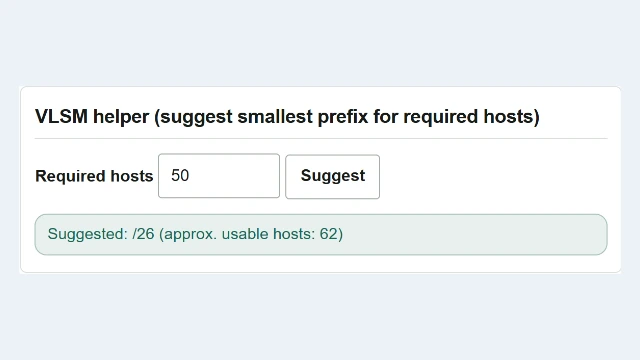
IPv4 subnet calculation: find a prefix and address range for 50 devices
Use the IPv4 subnet calculator to choose a prefix for 50 host addresses, find the network and assignable range, convert CIDR to a subnet mask, and copy the results with English UI screenshots.
-
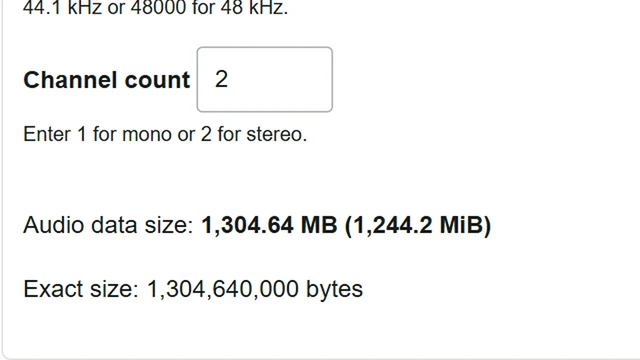
Estimate WAV recording size: 75 minutes 30 seconds in stereo and mono
Estimate the storage needed for a 75-minute-30-second interview recorded as 48 kHz, 24-bit WAV. English-interface screenshots show the stereo/mono comparison, 24-bit audio stored in 32 bits, and how to compare the result with free space.
-
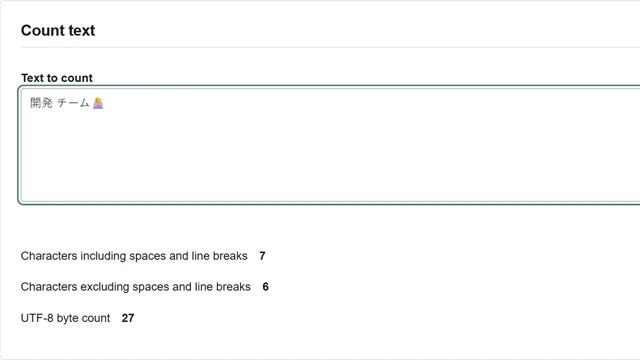
Check a UTF-8 byte limit with the character counter
Screenshots show how to check a 24-byte UTF-8 limit for a CSV field name, find what fits without splitting an emoji, and shorten the text to keep the emoji.
-
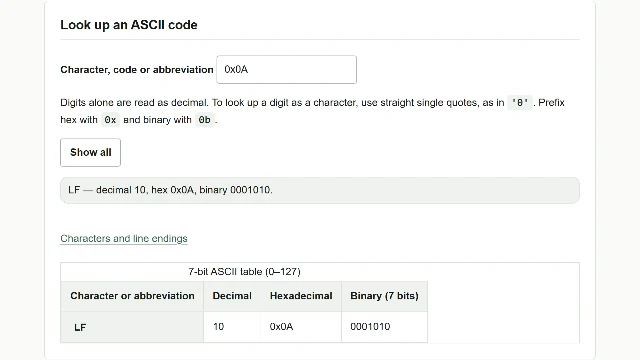
Read 0D 0A line endings and distinguish the digit 0 with an ASCII table
Look up hexadecimal 0D 0A in the ASCII table to distinguish CRLF from LF. Search screenshots also show why the digit character 0 differs from code value 0.
-
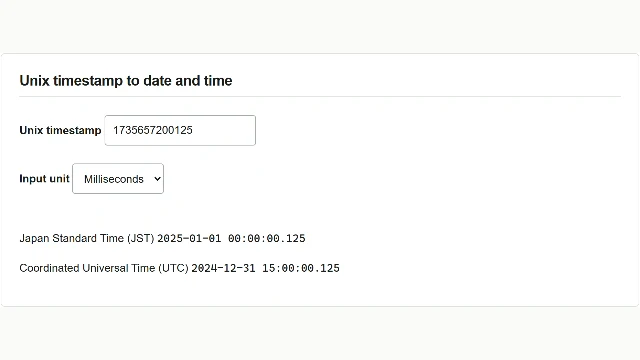
Read Unix timestamps in JST and set the start of a log search
Use a fictional API log to read Unix milliseconds in Japan Standard Time and UTC, then calculate the starting timestamp for a log search from midnight in Japan.
-
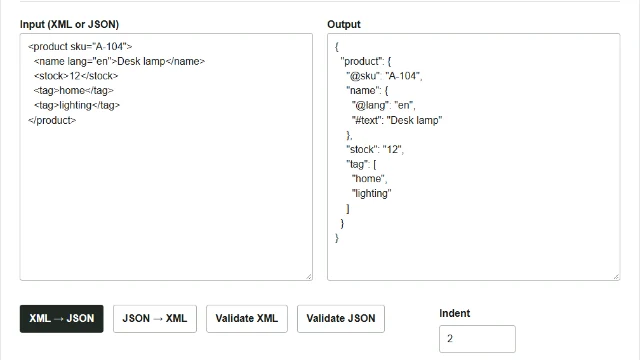
Convert XML product data to JSON and check arrays and types
Convert sample product data from XML to JSON in your browser and inspect attributes, element text and repeated elements. Screenshots also show how numbers and single-item arrays change after a JSON–XML round trip.
-
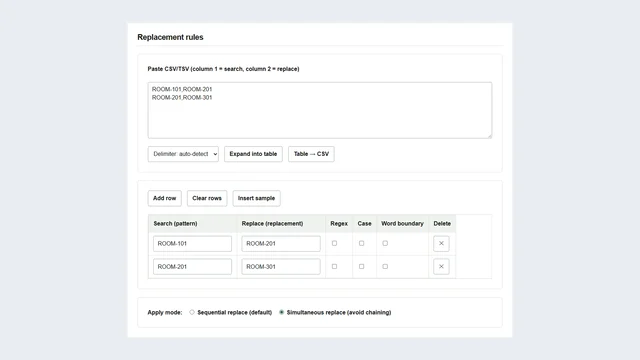
Replace room numbers across multiple text files
Update room numbers across text files using a replacement table. English-interface screenshots show how simultaneous and sequential replacement differ, how to check counts, and how to save the output ZIP and CSV log.
-
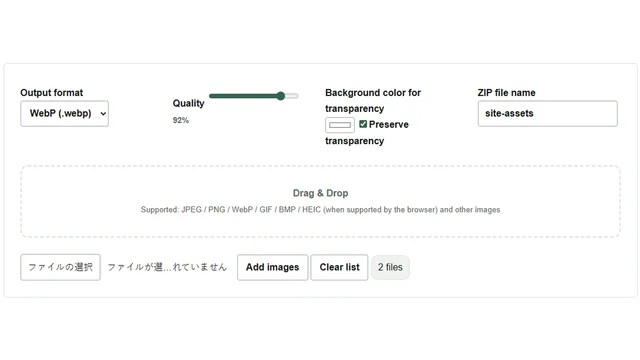
Convert PNG and JPEG images to WebP together and save a ZIP
Convert a transparent PNG logo and a JPEG photo to WebP in one batch. Follow the screenshots to preserve transparency, save the results as a ZIP, and see how choosing a background color for JPEG differs.
-
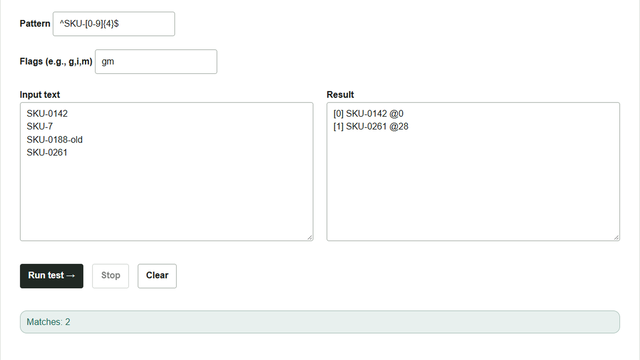
Extract product codes from multiple lines with a regular expression
Extract only lines containing SKU- followed by four digits. Screenshots show how the browser regex tester uses m for line boundaries, g to find all matches, and offsets to identify each match’s start.
-
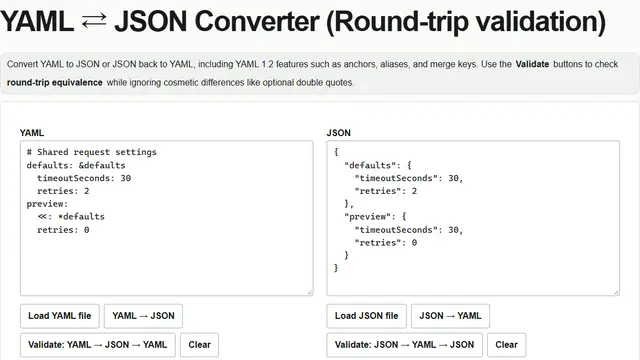
Convert YAML to JSON and check how shared settings expand
Convert YAML with shared timeout and retry settings to JSON in your browser, check inherited and overridden values, then edit JSON and convert it back. Learn what happens to comments and anchors.
-
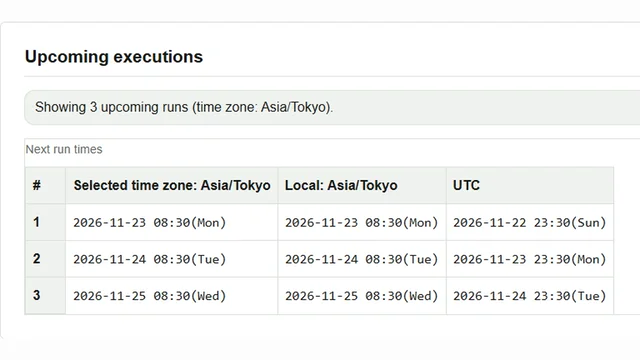
Check the next weekday morning cron runs in Japan time and UTC
Enter a weekday 08:30 job in Cron Planner and compare its next executions in Japan time and UTC. Learn how to read dates across midnight and which scheduler settings to check.
-
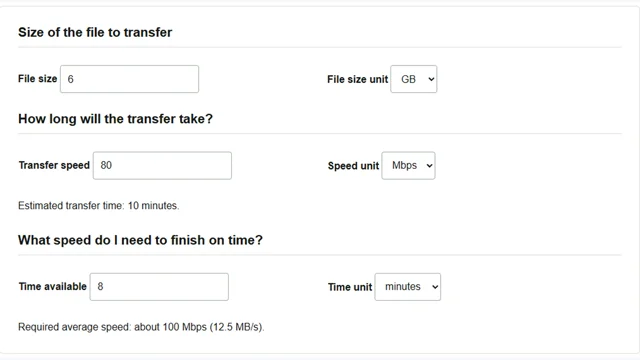
How many minutes to send a 6 GB file? Calculating transfer time and required speed
Use a 6 GB file at 80 Mbps to calculate transfer time and the average speed needed to meet a deadline. Screenshots show how to choose size and speed units and use the calculator.
-
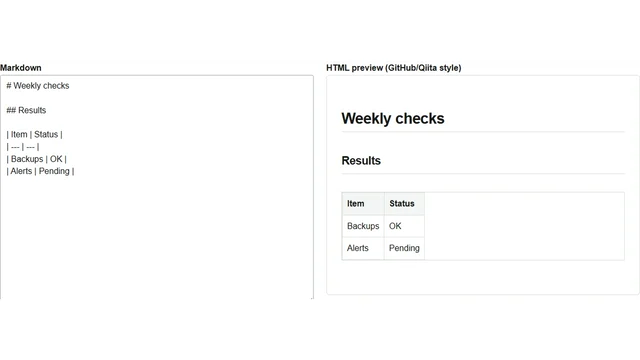
Preview Markdown tables and save them as HTML
Preview Markdown notes in your browser, check their headings and tables, and save an HTML file. Actual screenshots show when to copy HTML and when to download it.
-
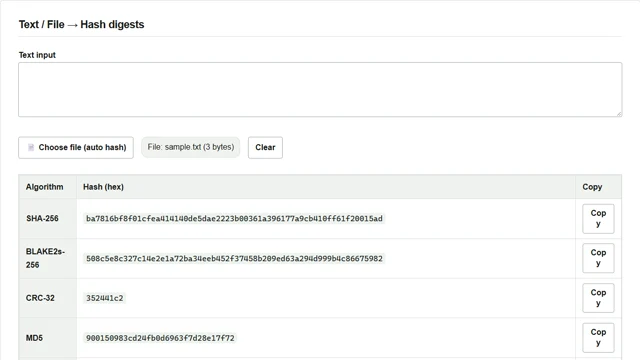
Verify a downloaded file’s SHA-256 with Hash Generator
Calculate a downloaded file’s SHA-256 with Hash Generator and compare it with the publisher’s value. Screenshots also show how a single trailing newline changes the result.
-
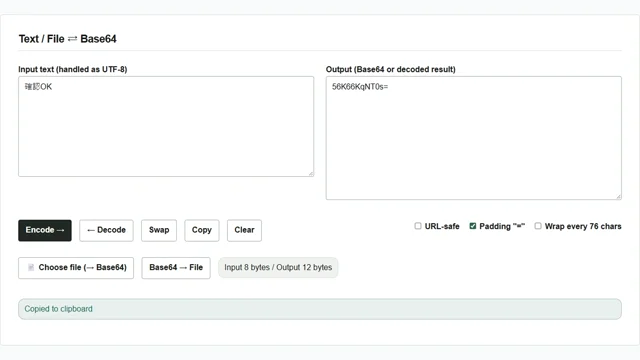
Check a Base64 string: decode Japanese text and restore files
Use Base64 Converter to round-trip Japanese text as UTF-8 and restore a file from Base64. Actual screenshots show which field to paste into, URL-safe and trailing = settings, and the downloaded filename.
-
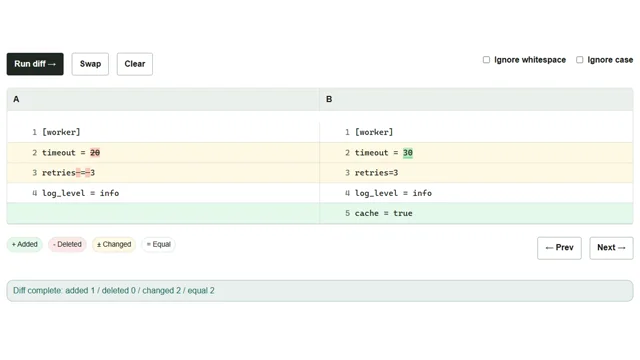
Compare configuration changes with Text Diff
Compare a configuration file before and after changes in your browser. Fictional settings and screenshots explain input, changed and added lines, and rerunning the comparison while ignoring whitespace.
-

Read barcodes with a phone or PC camera for stocktaking and delivery checks
Use actual screens to learn how to scan one-dimensional barcodes with a phone or PC camera for stocktaking and checking deliveries. Start continuous scanning, copy or save codes as text, and check duplicate records.
-
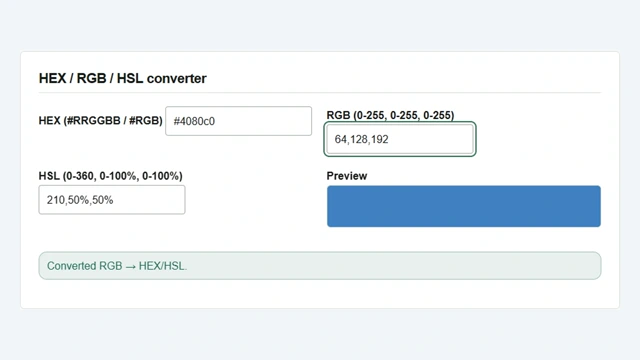
Convert RGB, HEX, and HSL to adjust colors in CSS
Convert an RGB design value to HEX for CSS, then lower HSL lightness to create a hover color. English screenshots and examples explain the fields, rounding, and transparency limitations.
-

Create Code 128 barcodes for shelf labels and save them as SVG or PNG
Use a warehouse shelf number to create a Code 128 barcode in your browser and save SVG and PNG files. Follow the actual screens, adjust text and margins, and scan the output to check the shelf number before printing.
-
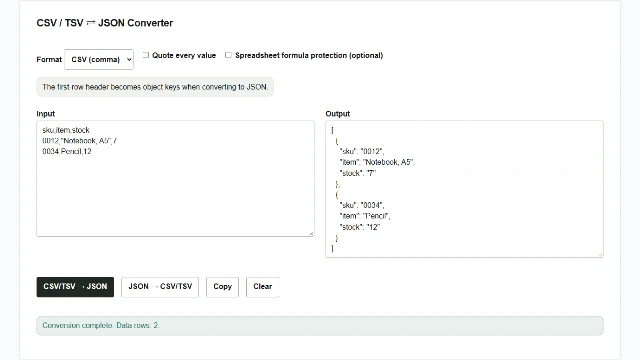
Convert CSV and TSV to JSON and back in your browser
Convert a CSV with headers to a JSON array, then export the same data as tab-separated TSV. Follow an inventory example with screenshots and learn how to handle leading zeros, number types, and spreadsheet imports.
-
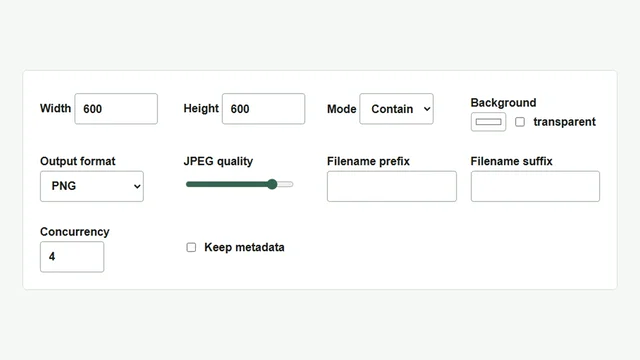
Batch resize portrait and landscape images and save them as a ZIP
Resize a batch of JPG and PNG images in your browser. Fit both orientations within 600 × 600 pixels without changing their aspect ratios, then check the dimensions in the saved ZIP.
-
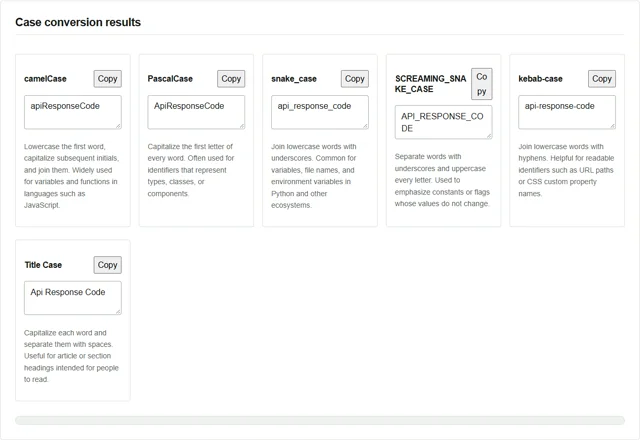
Convert identifier case using an API response code
Convert the same phrase to camelCase, snake_case, and other styles with Case Style Transformer. Follow the screenshots to adjust acronym capitalization and copy the result you need.
-
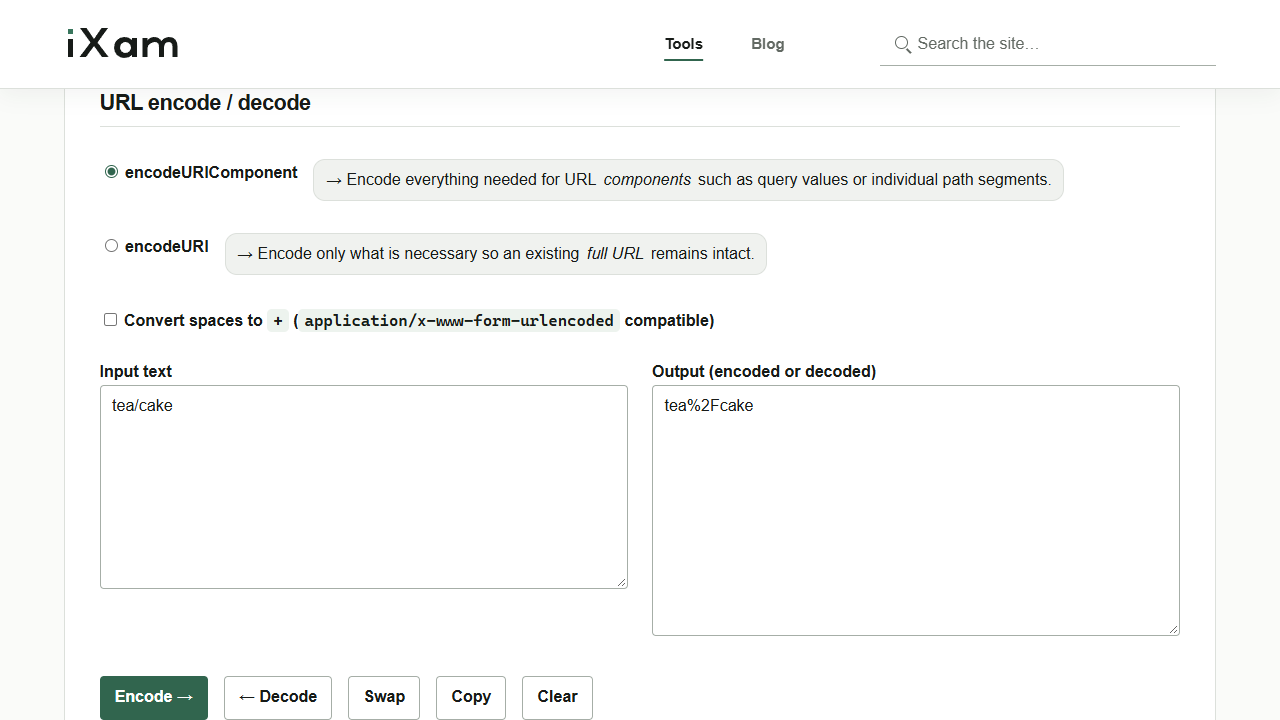
Encode a URL component and recover the original text
Compare encodeURIComponent and encodeURI, decode from the right-hand field, and see how the URL Encoder / Decoder handles spaces and plus signs.
-
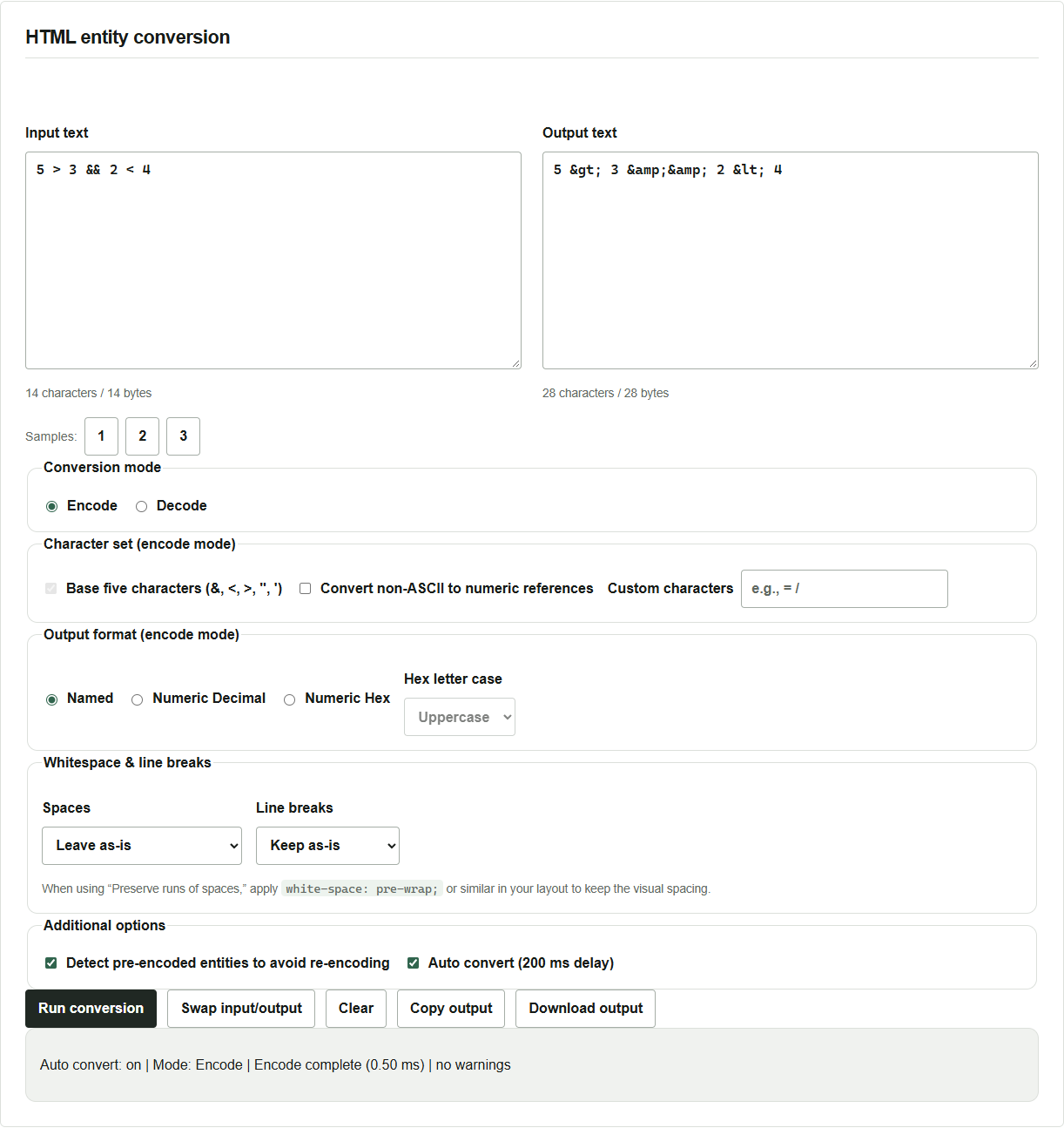
Encode symbols you want to display literally in HTML
Use HTML Entity Encoder / Decoder to convert comparison operators and ampersands. Screenshots show how to encode, decode and save the result, and when to watch for double escaping.
-
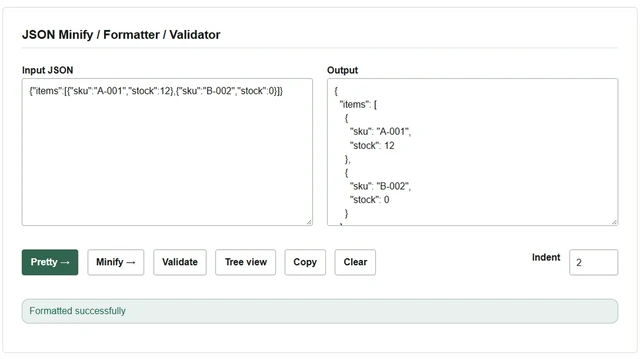
Format JSON and copy a value’s JSON Pointer
Format a one-line API response in your browser, find a value in the tree, and copy its JSON Pointer. The examples also cover minification and syntax checks.
-
A simple key macro: send keystrokes to Notepad with VBScript SendKeys
Bring a window to the foreground and enter sample text in Notepad with SendKeys. Learn how to set the delay and repetition count and specify modifiers and special keys.
-

Dynamic ranges in Excel: when to use OFFSET or a table
Keep totals and drop-down choices in sync as rows are added. See how OFFSET and COUNTA work, what happens when an ID is blank, and how to use Excel tables instead.
-

Find a CSV row by ID in a Windows batch file
Match an ID in the first column of a CSV file and retrieve the remaining values. Use FOR /F for simple data and Import-Csv for quoted fields or blanks.
-
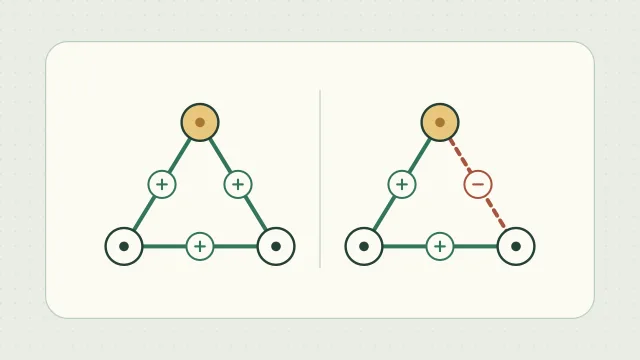
Heider’s balance theory and the P–O–X triangle
Use plus and minus signs to map how you and a friend feel about baseball and see which change would balance the triangle.
-

Remove unused styles when Excel reports too many cell formats
Investigate Excel’s format limit, distinguish direct formatting from custom styles and defined names, and delete only the intended style with VBA on a workbook copy.
-

Royal Blood II: The Dinarl Kingdom Chronicles walkthrough and save editing
A guide to the PC edition of Royal Blood II, covering recruitment in both campaigns, loot and puzzles in 29 dungeons, facility combinations, opening administration, and save editing.
-

Switch Windows network settings between work locations
Use netsh to switch a single adapter between static IPv4 and DHCP. Record the original settings, restore DNS, and check the proxy your apps use.
-
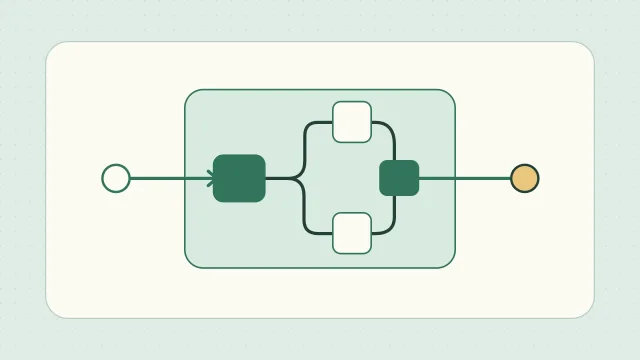
What is a system? Systems thinking starts with purpose
Use a monthly reporting example to explore a system through its purpose, components, resources, management, and environment.
-
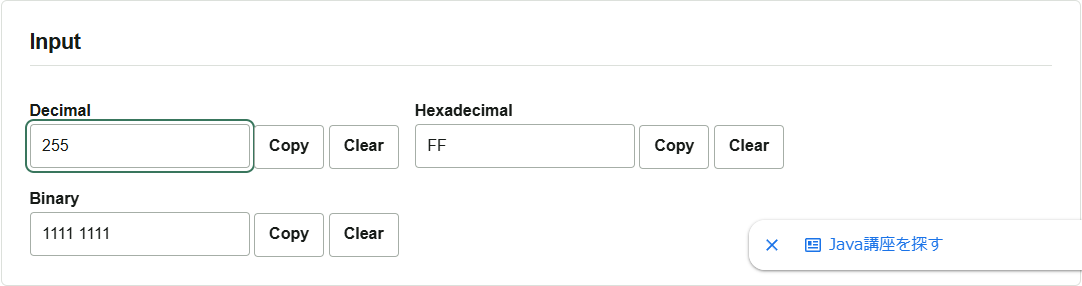
What is hexadecimal B5 in decimal?
Convert B5 from a hex editor to decimal and binary in your browser. Screenshots show how to enter 0xFF and 255, copy a result, change grouping, and read negative numbers and fractions.
-
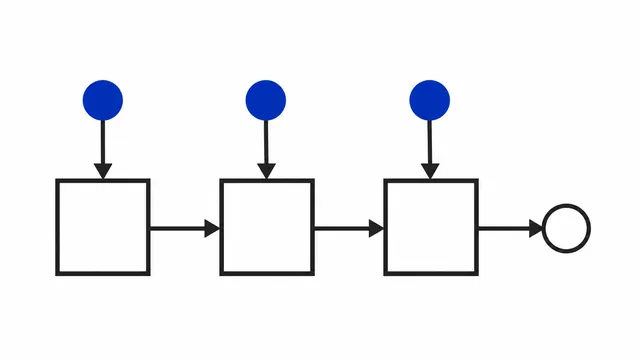
Currying, Lambda Calculus, and What Computation Is — A Detour with 🧙♂️ and 🐣
A professor and a student follow a question about curried functions into isomorphism, closures, Church numerals, information theory, and minimal models of computation.
-
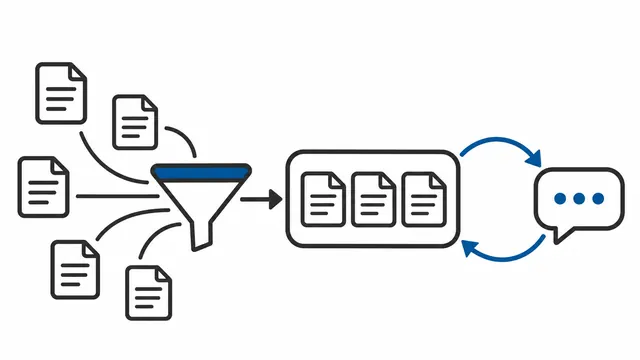
Can AI agents or RAGs replace service desks? ── Reasons for getting stuck and real solutions
We will summarize the typical failure patterns when attempting to replace the service desk with an AI agent, and present a realistic implementation procedure for running the KCS loop with AI assistance.
-
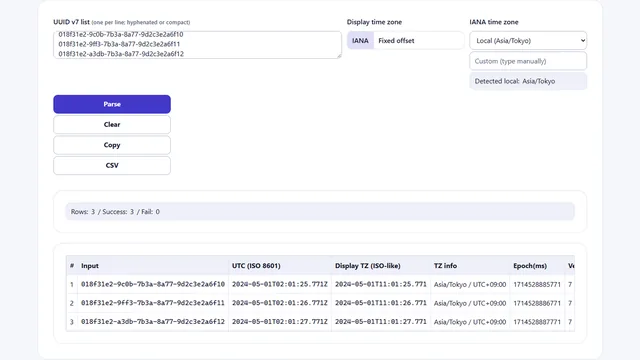
Practical log investigation to restore failure time from UUIDv7/ULID
We will summarize the practical steps to use the time information included in UUIDv7 and ULID to restore the time of failure and speed up initial diagnosis. It also deals with the pitfalls of time differences, clock discrepancies, and identical ms collisions.
-

How to Safely Rescue Mixed-Charset Files in Bulk: Why I Built This Tool
This article explains an operational workflow built for real environments where CSV from internal systems, Excel exports, and Linux/Windows/DB outputs mix encodings, line endings, and BOM behavior.
-

Why IT Costs Keep Rising in Enterprises: New Initiatives Are Praised, but Retirement Decisions Are Not
This article explains why IT costs in enterprises keep increasing, focusing on performance management, psychological safety, executive incentives, and the difficulty of system retirement and consolidation.
-
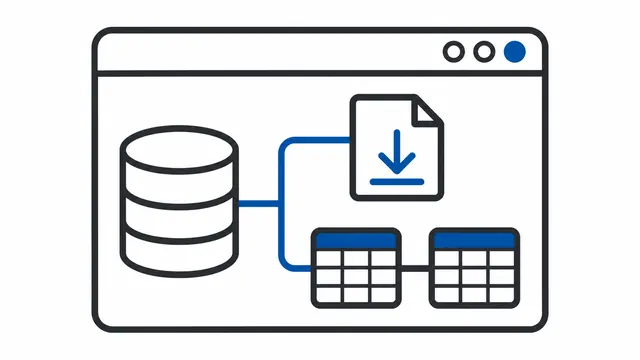
Building a PS1 GUI Utility That Makes ServiceNow Operations Easier
This article explains why I built a PowerShell utility that supports routine ServiceNow data exports and Database View definitions through a GUI, how it was designed, and what impact it had.
-
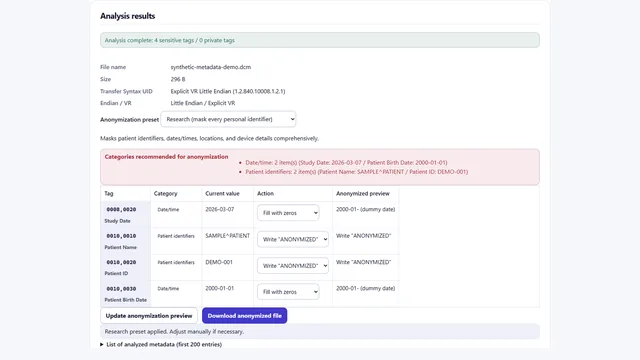
Browser-only DICOM anonymization: Inside the DICOM (.dcm) viewer/anonymizer
A detailed walkthrough of ixam.net's DICOM (.dcm) viewer/anonymizer, covering its capabilities and operational safeguards.
-

Stop using “-kun” at work. Why I call my male reports “-san” too
If a junior colleague you called “-kun” yesterday became your boss, would you suddenly switch to “-san”? It’s been about ten years since I started using “-san” for junior colleagues and male reports too. I look back on what that change taught me about my own sense of hierarchy and how it changed our conversations.
-

What to Know Before Your First Promotion: A Title Is a Role, Not a Status
Many first-time managers equate their new title with higher social status. I unpack why that illusion is dangerous, how it corrodes character, and what mindset protects you when you eventually step down.
-

What Aptitude Does Management Really Require? The Power to Put Yourself on the Shelf
Conventional wisdom lists the traits of a good manager, yet everyday reality demands something less glamorous: the ability to set aside your own shortcomings and keep the organization moving. I explain why this uncomfortable skill matters and how it differs from mere arrogance.
-

Every Job Ends When the Deadline Arrives: A Lifeline from a Burning Project
“No matter how endless the work seems, the deadline will arrive.” A respected CTO told me that during an IT project that had gone completely off the rails. I unpack the literal and deeper meanings of deadlines and offer this mindset as medicine for people being crushed by work.
-

Does AI Democratize Information—or Turn into a Weapon for Exposure?
AI democratizes information in an instant while also causing unintended exposure—it delivers exactly what people seek at unprecedented speed.
-
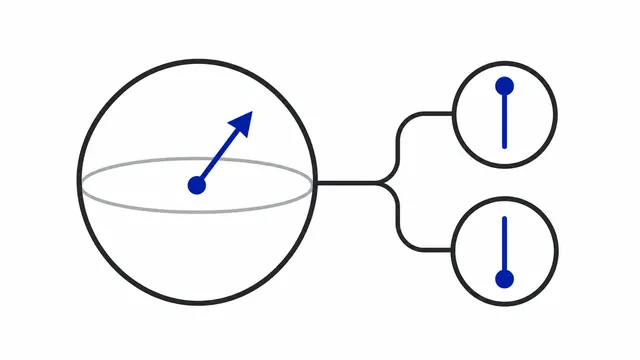
Learning about Quantum Computers through Dialogue — 🧙♂️ (Professor) and 🐣 (Student) Take a Coin-Flip Tour across the Universe
🧙♂️ (Professor) and 🐣 (Student) talk through what quantum computers and qubits are, unpacking superposition, measurement, codebreaking, and real-world applications in an easygoing dialogue.
-
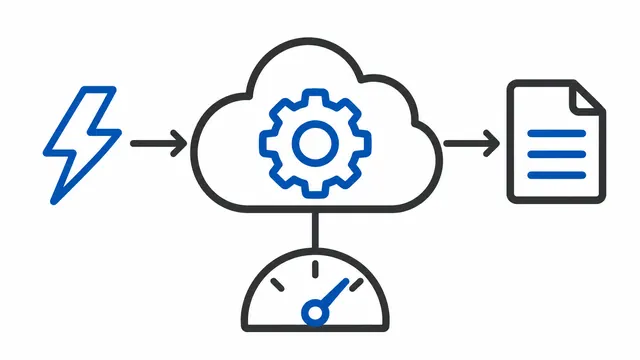
Learning about Serverless through Dialogue — 🧙♂️ (Professor) and 🐣 (Student) Survive Cloud Billing
What is serverless? Through a dialogue between 🧙♂️ (Professor) and 🐣 (Student), we unpack its mechanics, strengths, and even the billing risks that come with the convenience.
-

The Dilemma of Developing Subordinates: Should You Invest in Top Performers or Lift Up Strugglers?
Managers agonize over whether to spend time on their strongest people or on those who lag behind. Drawing on my own failures and organizational theory, I explain why I now focus my time on those who can already perform—and how that approach ultimately lifts the whole team.
-
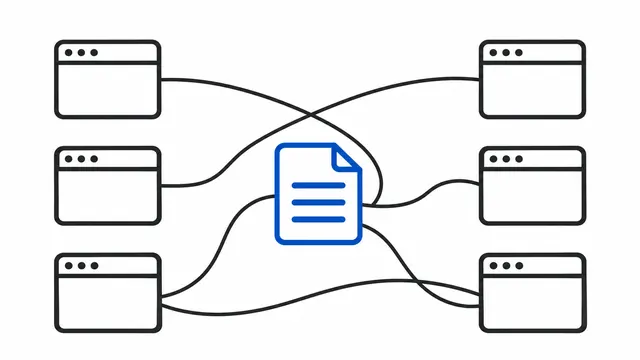
The Convenience Paradox: Why Tool Sprawl Keeps Crushing Productivity
The more convenience tools we adopt, the more chaos erupts on the ground—and the more maintenance costs explode. Drawing on everyday experience and real-world cases, I argue that the issue is not UX but cost structure, and that organizations must either tame or control their tool landscape.
-

What Is Management? Why Managers Fail Without a Definition
Management is every activity that keeps an organization achieving its goals. I clarify how it differs from leadership, why ESG and CSR are environmental constraints rather than new purposes, and why managers who lack their own definition always fail.
-
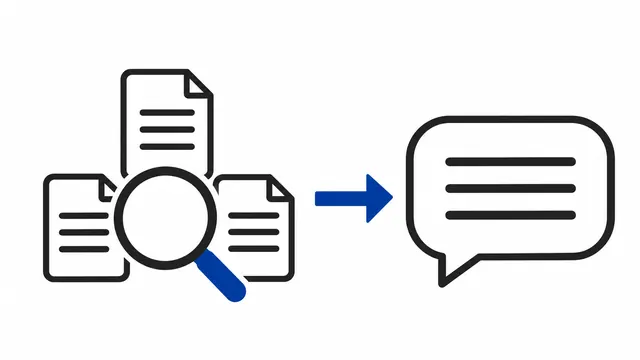
Is Search Dead? Exploring the Future of LLMs and Generative AI
Google search is deteriorating while ChatGPT is on the rise—by tracing the history of search, we explore the world after generative AI becomes the gateway to information and what comes next, including the death of SEO and the dawn of the AEO wars.
-

What Is AI Fatigue? Responsibility Fatigue and the Future of Work Design
AI makes work easier, but people grow tired of the judgments and responsibility that remain—that is the true nature of AI fatigue.
-
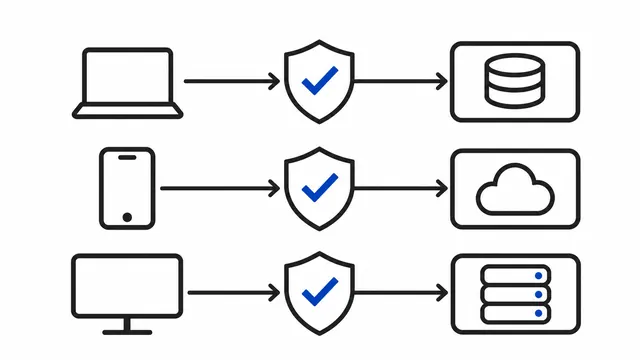
What is zero trust? Buzzword or new security stack? A clear explanation of zero trust.
What exactly is zero trust? Is it just a buzzword or a new set of security technologies? This article clarifies how it relates to perimeter defense, debunks common myths, and explains why "removing implicit trust" matters.
-
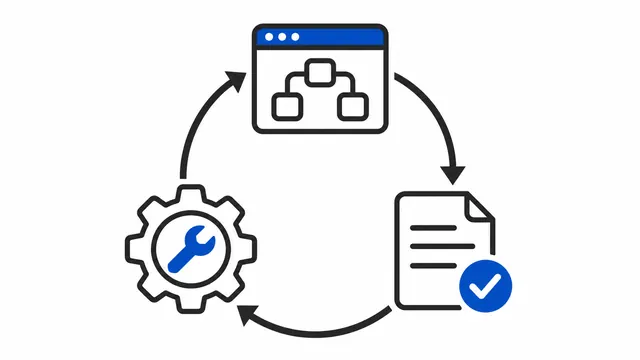
Legacy Will Keep Being Born—Tame It Anyway: A Future Vision for Citizen Development (Part 7 of 7)
Legacy will always emerge. The future of citizen development lies not in banning it, but in clarifying its role as a draft, partnering with professionals and generative AI, and taming legacy through governance that aligns every vantage point.
-
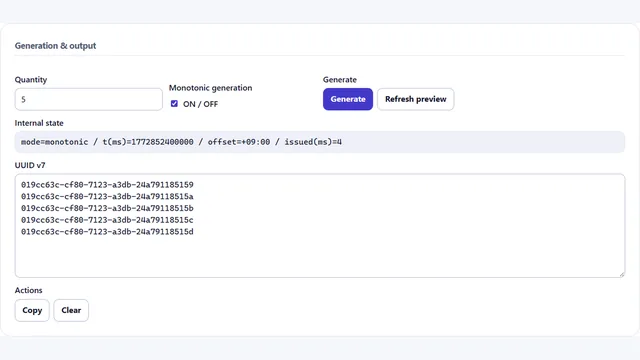
Comprehensive comparison of UUID v4, UUID v7, and ULID: how to balance time order, efficiency, and readability
A deep dive into UUID v4, UUID v7, and ULID—how to weigh time ordering, collision probability, database efficiency, and implementation pitfalls, with notes on UUID v1 and v6.
-
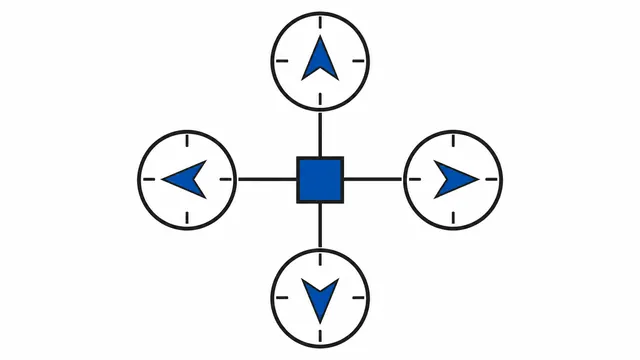
Misaligned Vantage Points Mass-Produce Negative Legacy (Part 6 of 7)
Citizen development turns into negative legacy not because of tooling, but because executives, frontline teams, IT, and middle management operate on different time horizons. Their misaligned vantage points elevate short-term wins over long-term stewardship. Understanding that structure reveals what it takes to carry citizen development into the future.
-
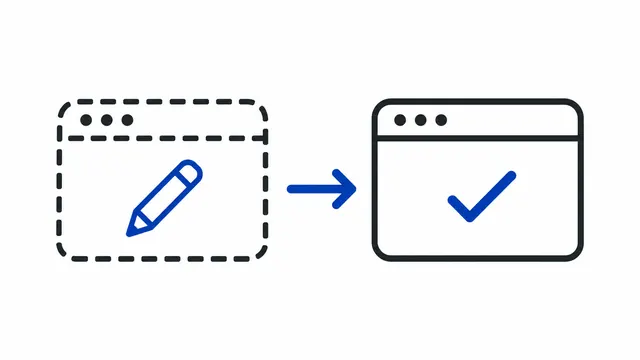
Citizen Development Isn’t Omnipotent—It Is “Draft Development” (Part 5 of 7)
Citizen development is not a path to production-grade systems. Its value lies in acting as a draft that visualizes requirements from the user’s perspective. A well-crafted draft reduces misinterpretation and gaps, improving the precision of professional implementation—provided experts always do the final clean copy.
-
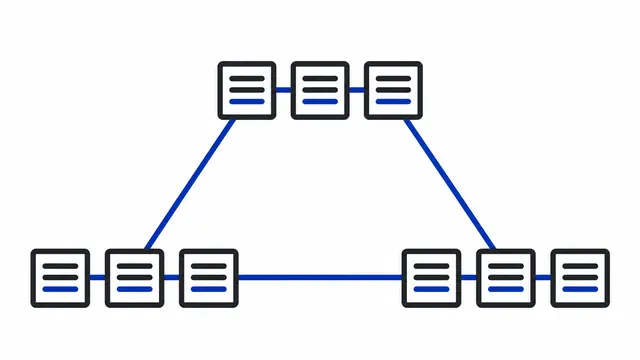
Learning Blockchain through Dialogue: Is It a Shield for the Weak or Armor for the Powerful? Reflections from a Conversation between 🧙♂️ (Professor) and 🐣 (Student)
Blockchain's immutability can protect the vulnerable yet also arm those in power. Through a dialogue between 🧙♂️ (Professor) and 🐣 (Student), we examine its purpose and the issues it raises.
-
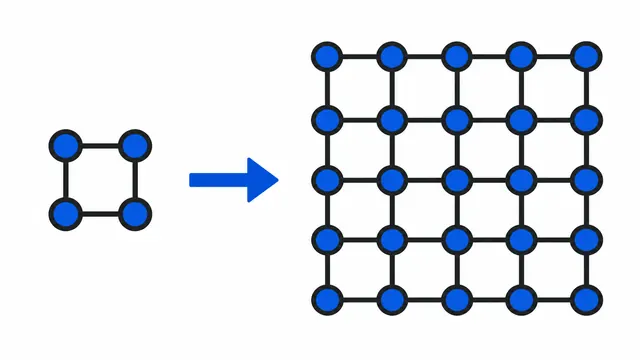
Learning IPv6 through Dialogue — 🧙♂️ (Professor) and 🐣 (Student) Talk about IPv4, IPv6, and Surviving the Employment Ice Age
🧙♂️ (Professor) and 🐣 (Student) unpack the differences between IPv4 and IPv6, why adoption has been slow, and how routing, NAT, SLAAC, and security models all shift in practice.
-
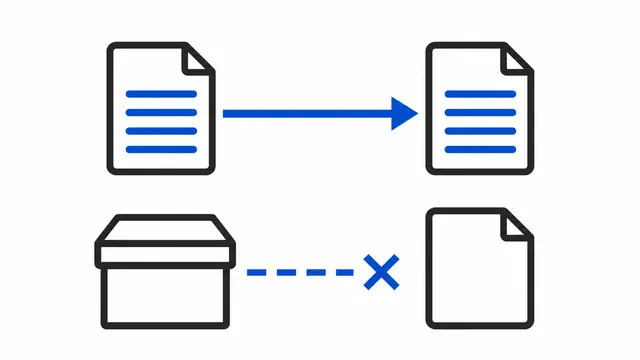
The Legacy That Generative AI Saves—and the Legacy It Abandons (Part 4 of 7)
Generative AI can analyze and port existing code, but assets that were never expressed as code—like no-code apps or RPA flows—are far harder to rescue. Future debt will concentrate in artifacts left as black boxes.
-

What Generative AI Is Critically Missing: Dignity, Conviction, Responsibility, and the "Self"
Generative AI’s limitation is not a lack of knowledge; aside from rare exceptions, it lacks the dignity, conviction, and sense of responsibility that humans take for granted. I map current stopgap measures and research trends, then go further to ask what responsibility means and how humans and AI differ down to the Cartesian notion of the "self."
-
The Light and Shadow of Modern Citizen-Development Platforms (Part 3 of 7)
RPA and no-code/low-code platforms win hearts with instant results and persuasive visualizations. Yet real-world use demands programming-grade skills and system design, while SaaS/PaaS dependency erodes portability. These traits risk spawning debt even harder to unwind than Kami Excel.
-
Was Kami Excel Truly the Villain?—From Savior to Negative Legacy (Part 2 of 7)
Kami Excel was not evil. It was a necessary remedy that saved frontline teams, yet it turned into negative legacy because organizations failed to govern it and society lacked IT literacy. Kami Excel was fundamentally readable—had true IT adoption taken hold, it might have been an ideal productivity tool.
-
Why Agentic AI Will Radically Boost Personal Productivity—and What Comes Next
Agentic AI is a new type of AI that plans and acts on its own in line with the user’s goals. This article explains its characteristics and potential, the cautions for adoption, and how widespread use could change the role of humans and our ways of working.
-

Is Citizen Development the Return of EUC?—Lessons from Kami Excel (Part 1 of 7)
Citizen development is not a new idea. Revisiting the history of EUC and Kami Excel reveals a recurring pattern of short-term success turning into long-term debt. By comparing today’s no-code and low-code tools with their predecessors, we can grasp both the risks and possibilities of citizen development.
-
Charting the Future of Citizen Development—History, Today, Generative AI, and Beyond (Part 0 of 7)
Is citizen development truly the future of software creation, or is it Kami Excel 2.0 reborn? This series follows the history from EUC to RPA and generative AI to explore the real nature and possible futures of citizen development.
-
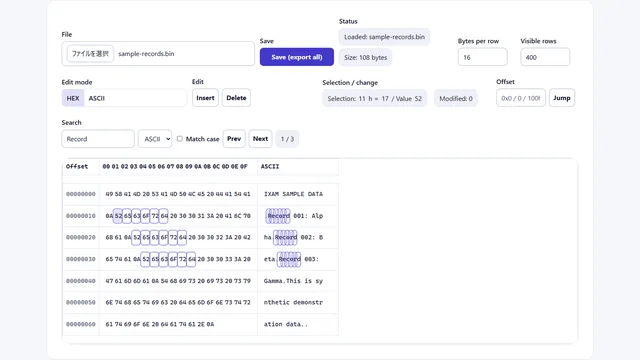
How I built a browser-based binary editor
A recap of how I designed and implemented a binary editor that runs entirely in the browser, along with the pitfalls I ran into.
-

Designing and implementing a browser-only SVG editor
The pain points I wrestled with while trying to build an SVG editor that runs entirely in the browser.
-
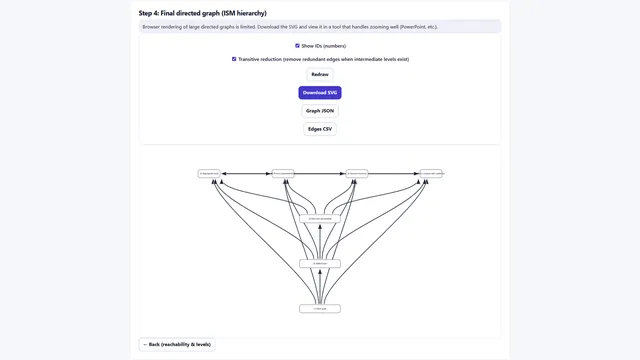
Trying ISM in the browser, from the SSIM to a layered graph
Learn the assumptions and mathematics of ISM, then follow the built-in seven-element sample from the SSIM to reachability, levels, and a directed graph.
-

Simulating the Monty Hall Problem to See Why Switching Wins
The Monty Hall problem is a classic clash between intuition and logic. This article visualizes it in both Excel and a browser-based simulator so you can feel why the 'switch doors' strategy wins.
-

The Possibilities—and New Anxiety—That Generative AI Brings
Generative AI has dramatically expanded what individuals can make real on their own, yet it forces us to ask what matters in a world where anyone can easily turn an idea into reality.
-

Famicom 'L'Empereur' Fast Consulate Route Guide
A detailed breakdown of how to reach the Consulate appointment in Scenario 1 of the Famicom version of L'Empereur as fast as possible by planning around resets.
-
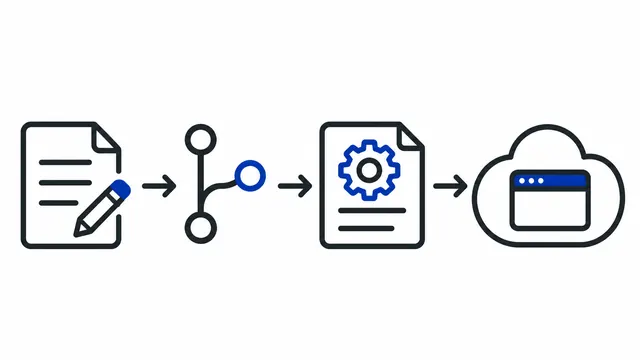
Building a serverless blog with a custom domain and CMS on the Hugo + GitHub + Decap CMS + Cloudflare Pages stack
Set up a Hugo blog on your own domain. Edit Markdown posts in Decap CMS and save them to GitHub so Cloudflare Pages builds and publishes each change.