Verify a downloaded file’s SHA-256 with Hash Generator
Calculate a downloaded file’s SHA-256 with Hash Generator and compare it with the publisher’s value. Screenshots also show how a single trailing newline changes the result.
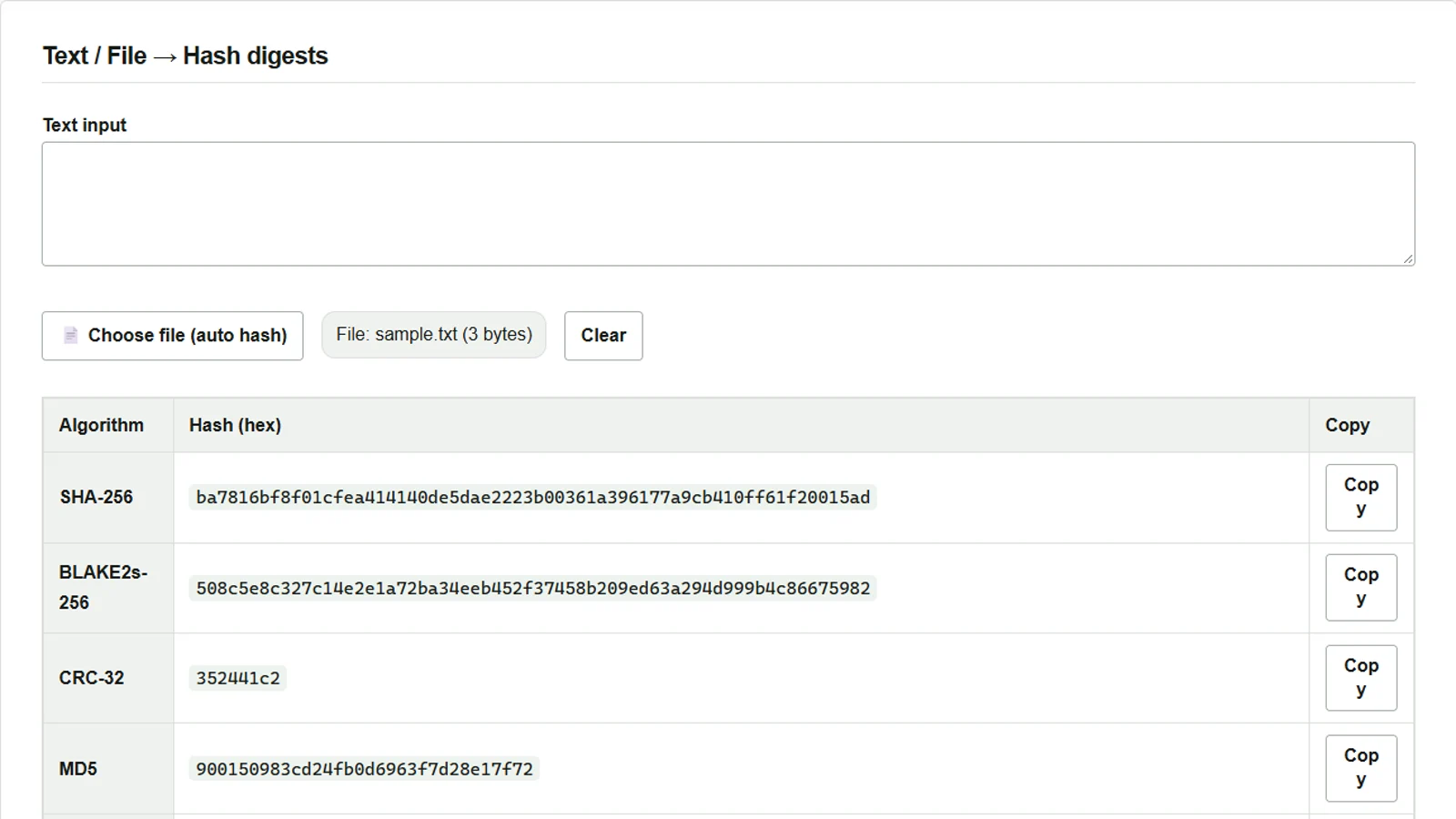
When a download page provides a SHA-256 value, you can calculate a value from your downloaded file using the same algorithm and compare the two. The calculation uses the file’s contents, not its name, so changing the contents will normally change the value even if the filename stays the same.
Selecting a file in Hash Generator automatically calculates several hashes, with SHA-256 at the top of the table. File reading and calculation take place entirely in your browser.
Select a file and compare its SHA-256
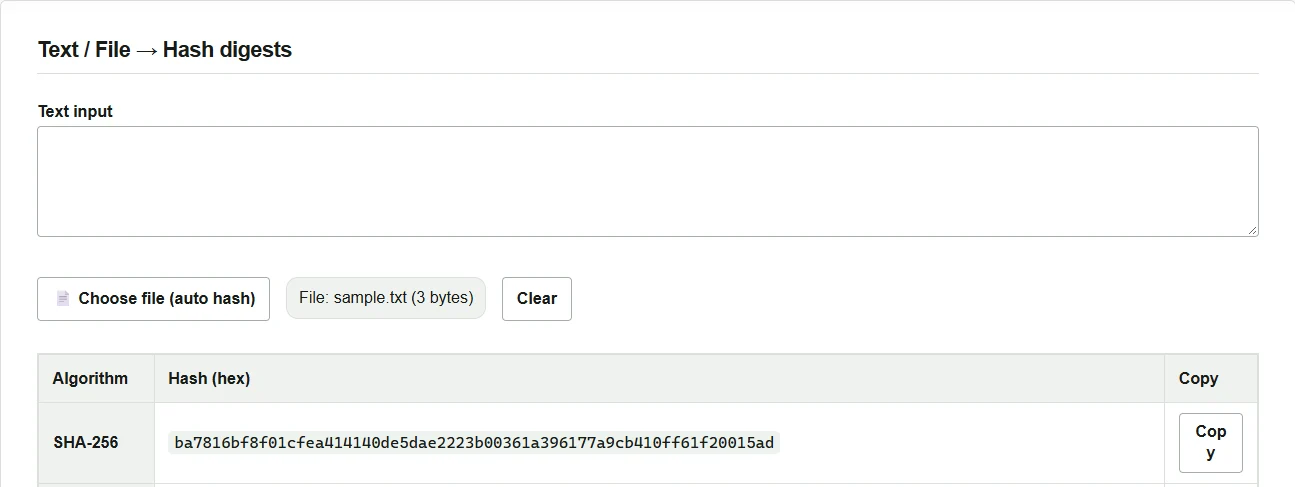
To try the steps, prepare a UTF-8 file named sample.txt containing only the ASCII characters abc. Save it without a BOM or trailing newline so that the size shown on screen is 3 bytes.
- Press Choose file (auto hash) and select
sample.txt. - Press Copy on the SHA-256 row at the top of the results table. This sample’s value is shown below.
- For an actual downloaded file, compare all 64 hexadecimal digits with the publisher’s SHA-256 for that filename and version. If the values differ, check the version and algorithm, download the file again from the official source, and recalculate.
ba7816bf8f01cfea414140de5dae2223b00361a396177a9cb410ff61f20015ad
Add one newline at the end of the text
- Press Clear, then enter
abcin Text input. Its SHA-256 is the same as that of the 3-byte file. - Press Enter once immediately after
c. The English interface now shows 4 characters, and SHA-256 changes to the value below.
edeaaff3f1774ad2888673770c6d64097e391bc362d7d6fb34982ddf0efd18cb
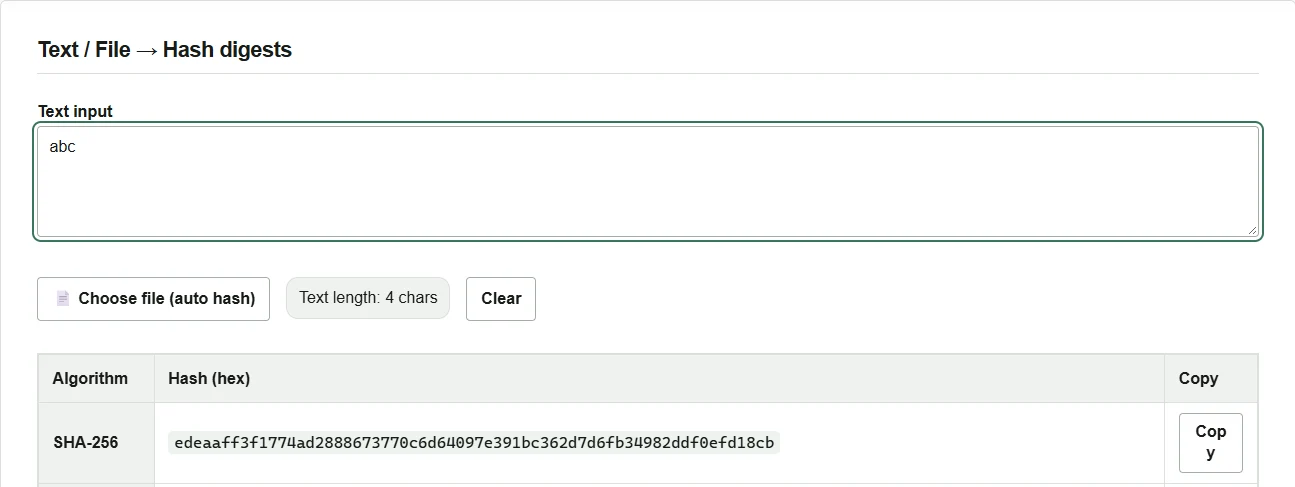
The text field converts input to UTF-8 before calculating. Files may contain a BOM, CRLF line endings, or a different character encoding, so select the file itself when verifying a file instead of pasting its contents.
Use the SHA-256 supplied by a trusted publisher to verify a distributed file. A matching hash establishes that the file is consistent with that value. If the publisher provides a digital signature and you also want to verify its origin, follow the publisher’s instructions to check the signature.