Extract product codes from multiple lines with a regular expression
Extract only lines containing SKU- followed by four digits. Screenshots show how the browser regex tester uses m for line boundaries, g to find all matches, and offsets to identify each match’s start.
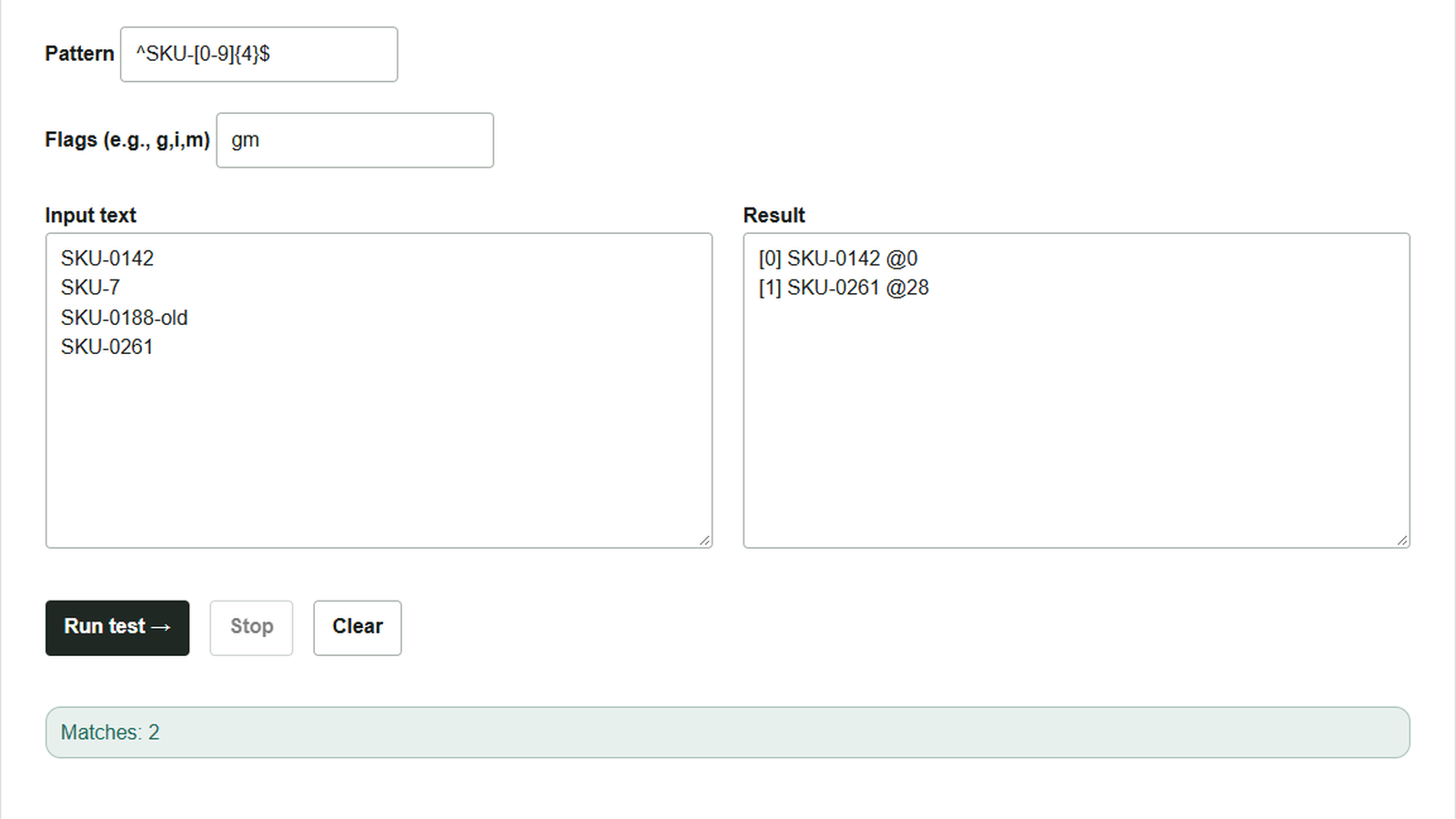
An inventory list mixes current product codes with older formats. The codes wanted here contain only the ASCII prefix SKU- followed by four digits on a line. Use the Regex tester to check that lines with too few digits or a trailing note are excluded.
Find lines containing only a product code
Paste this fictional list into Input text.
SKU-0142
SKU-7
SKU-0188-old
SKU-0261
- Enter
^SKU-[0-9]{4}$in Pattern. Do not include the slashes that sometimes surround a regular expression. - Enter
gmin Flags. Withm,^and$also match the start and end of each line. Thegflag searches for successive matches from the beginning. - Press Run test. Result shows
SKU-0142andSKU-0261.SKU-7has only one digit, andSKU-0188-olddoes not end immediately after the four digits, so neither matches.
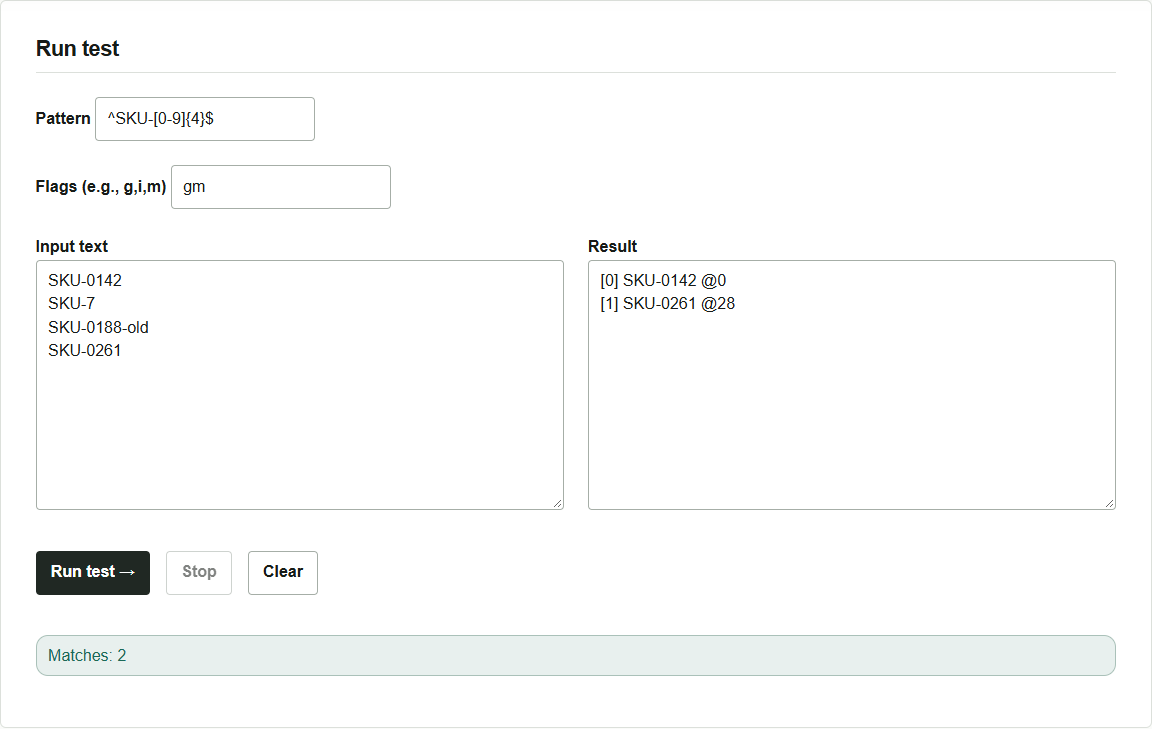
The result labels [0] and [1] are the match numbers, counted from zero. The number after @ is the starting position, measured from zero at the beginning of the entire input. The second match’s @28 means the code starts 28 positions into the input, including line breaks. Positions use JavaScript UTF-16 code units; for example, the emoji 📦 takes two units.
Remove flags and compare the results
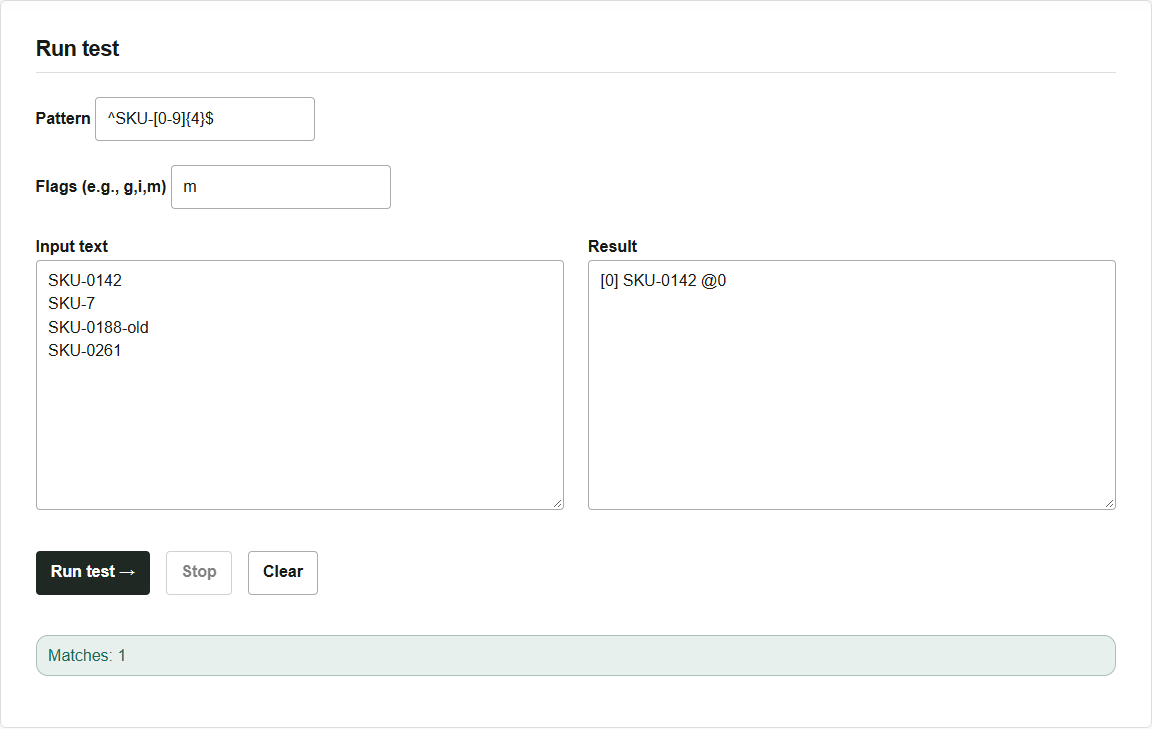
Remove only g and run with m: only the first match, SKU-0142, appears. Restore gm to see subsequent matches. Conversely, removing only m leaves g; ^ and $ then refer to the ends of the entire input, so this four-line example has no matches.
Extraction leaves the original text unchanged. Select and copy the extracted text from the result field. Long lists are limited to 2,000 displayed matches, and output also stops at the result character limit. If a truncation message appears, split the list and check each part separately. The tool uses the browser’s JavaScript regular expressions. When reusing the same pattern in another language or editor, check which syntax and flags that environment supports.