What is hexadecimal B5 in decimal?
Convert B5 from a hex editor to decimal and binary in your browser. Screenshots show how to enter 0xFF and 255, copy a result, change grouping, and read negative numbers and fractions.
You’re looking at a hex editor and pause at B5. B is 11, so 11 × 16 + 5 gives 181. Doing it in your head is fine once, but it gets tedious when you need the values on either side too.
Enter the value in the hexadecimal field
Open the decimal, hexadecimal, and binary converter and enter B5 in “Hexadecimal”. The decimal field shows 181 and the binary field shows 1011 0101. The results update as you type, so you can overwrite the value with the next one.
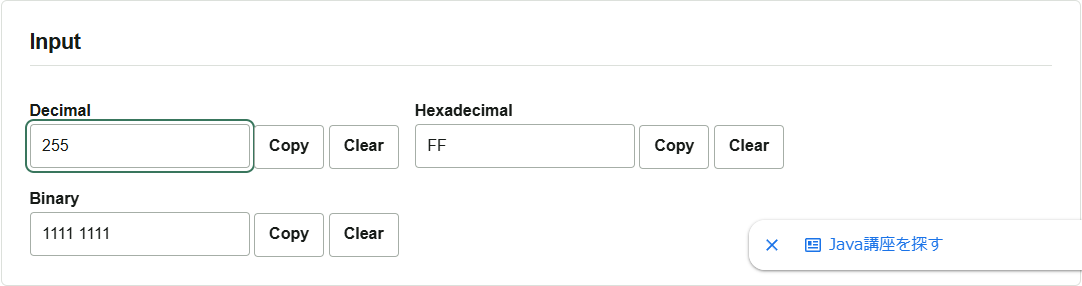
The screenshot uses 0xFF. When you copy a number from code or a log, you can include its 0x prefix. Interpreted as unsigned, FF is 15 × 16 + 15 = 255. All eight bits are ones, which makes the two displays easy to compare.
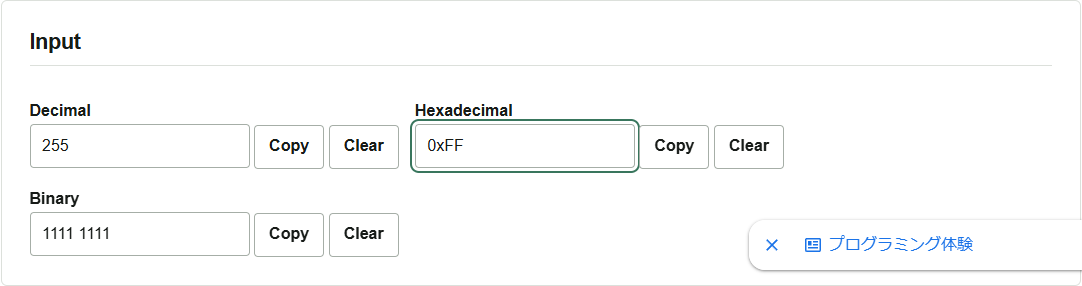
You can start from any field. Enter 255 in “Decimal” and the hexadecimal field shows FF. To check the value in the hex editor, click “Copy” next to the hexadecimal field. If the button does not work, select and copy the text in the field.
Put values prefixed with 0x in the hexadecimal field and those prefixed with 0b in the binary field. Use “Clear all” to empty all three fields before testing another value.
Why there is a space in 1111 1111
Eight consecutive ones are hard to count, so the default display inserts a space every four bits. To paste without spaces, turn off “Group binary every 4 bits (space)” in the display options before copying. You can also toggle uppercase hexadecimal, grouping every four hex digits, and thousands grouping for decimal.
Spaces, underscores, and commas are removed from input. If you type 10,5 as a fraction, the converter reads it as 105. Use . as the decimal separator.
Entering -42 returns -2A
Enter -42 in the decimal field and the hexadecimal result is -2A. Keep this in mind when comparing with an 8-bit register. The tool shows a sign and magnitude. A fixed-width two’s-complement representation needs a separate calculation with a chosen bit width.
For fractions, 10.5 becomes A.8 in hexadecimal and 1010.1 in binary. Some values such as 0.1 have continuing digits in binary. The fractional display is limited to 128 digits in binary, 32 in hexadecimal, and 50 in decimal. Copying and converting a long result back can give a different value.
Integers are calculated with BigInt. Values wider than 64 bits work as long as they fit in device memory. All calculations happen in the browser, and your input is never sent to a server.