IPv4 subnet calculation: find a prefix and address range for 50 devices
Use the IPv4 subnet calculator to choose a prefix for 50 host addresses, find the network and assignable range, convert CIDR to a subnet mask, and copy the results with English UI screenshots.
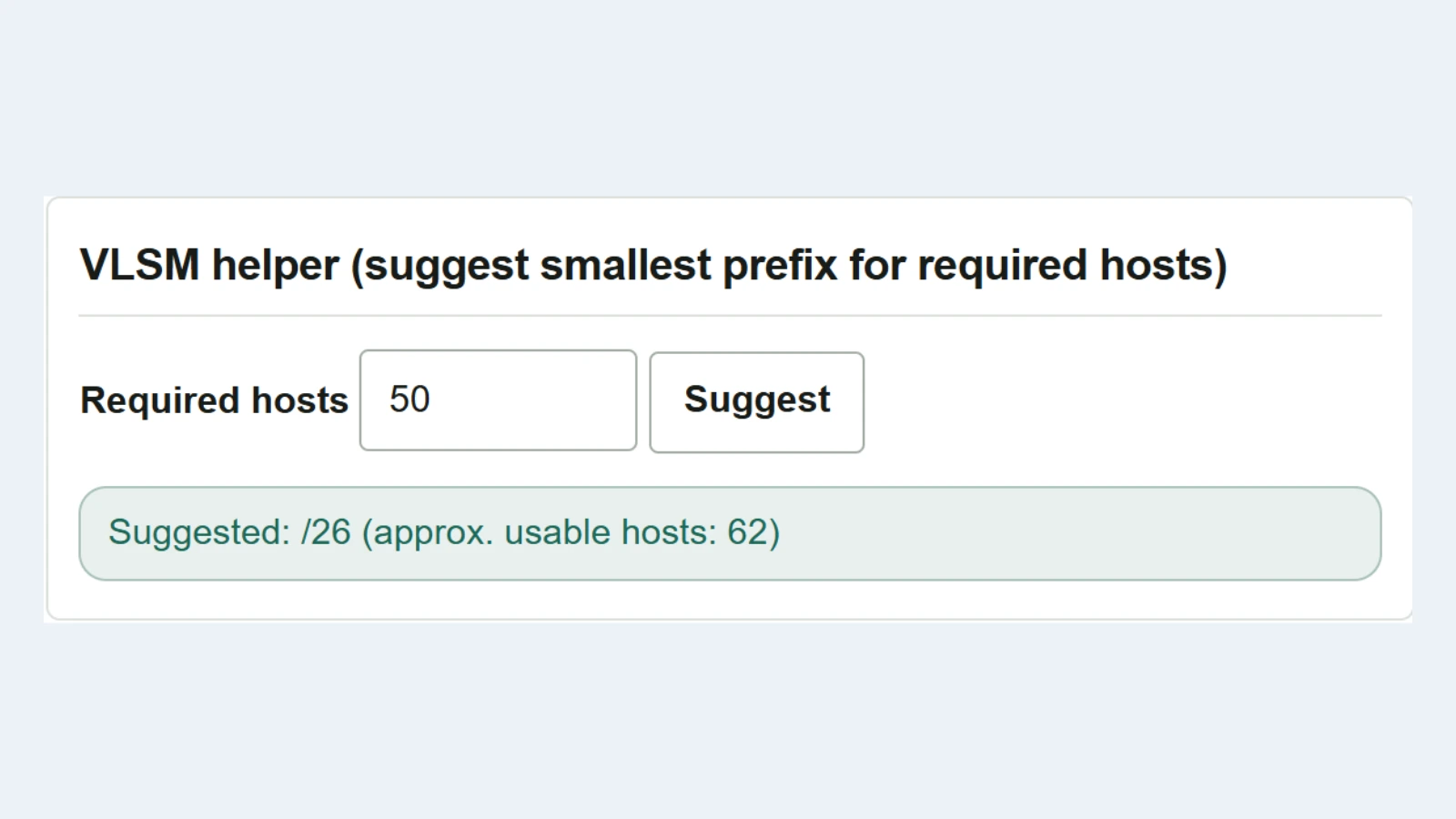
When assigning IPv4 addresses to 50 devices, first choose a subnet size that provides at least 50 usable host addresses. Then check which subnet contains the proposed IP address and which addresses can be assigned. Use the IPv4 subnet calculator to answer these two questions in order.
This example uses 192.0.2.70. The 192.0.2.0/24 block containing this address is reserved for examples in documentation. In an actual design, use the address range allocated to your organization. RFC 5737
Find the prefix needed for 50 host addresses
- In the VLSM helper, enter
50inRequired hostsand clickSuggest. - The result is
/26, with 62 usable hosts. IPv4 addresses have 32 bits, so/26leaves 6 bits for the host portion. Of the 64 addresses, the first is the network address and the last is the broadcast address, leaving 62 that can be assigned to devices. - If a configuration screen requires a dotted-decimal mask, enter
26without the slash in the “CIDR” field of the mask conversion section above, then click “CIDR → Mask”. The result is255.255.255.192.
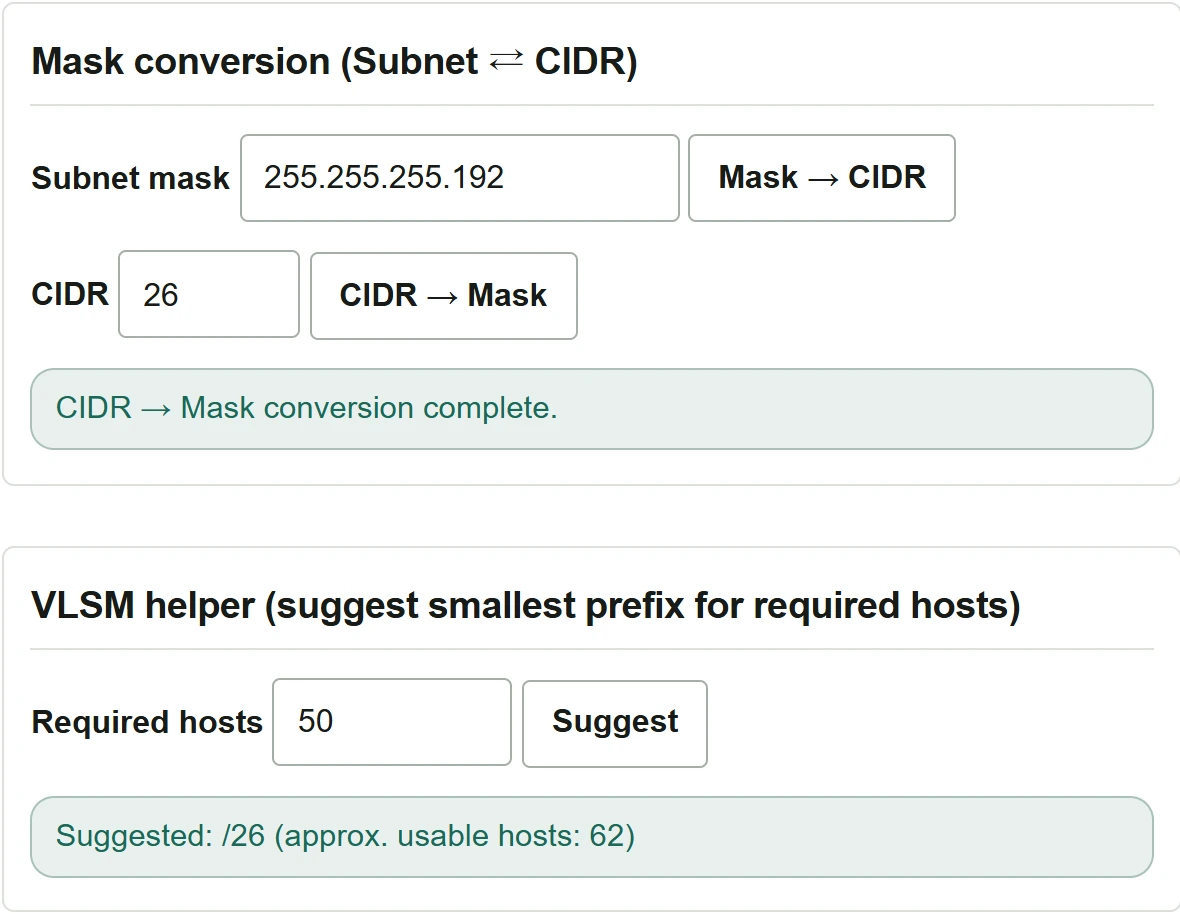
When counting the addresses you actually need, include devices such as the default gateway that also use an address in this subnet, as well as the endpoints.
Check which subnet contains 192.0.2.70
- In the single IP address inspection section, enter
192.0.2.70in “IP address”. Select “CIDR /n”, enter26in the numeric field, and click “Calculate”. Enter the value used for conversion again in this inspection section. - The results show the network as
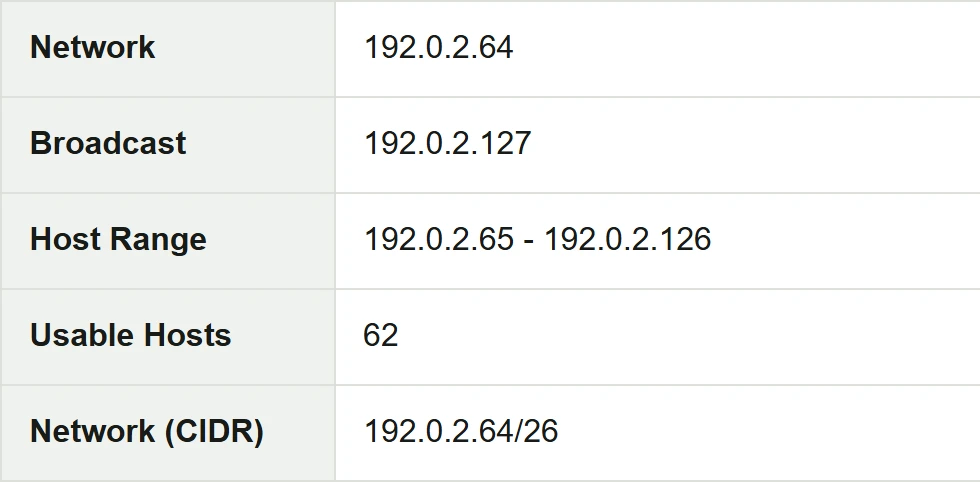
192.0.2.64/26and the broadcast address as192.0.2.127. Devices can be assigned addresses from192.0.2.65to192.0.2.126. - To keep the results in your design notes, click “Copy” in the results section. In the pasted text,
Network (CIDR)identifies the network andHost Rangeidentifies the assignable range.
Check these points before assigning addresses
The calculated range comes from the mask. Use the deployed configurations and address inventory to check whether it overlaps an existing subnet and whether addresses in the range are already in use.
If you request 2 hosts, the tool suggests /31. This can be used to assign an address to each end of a point-to-point link between compatible devices. For 2 usable host addresses on a conventional LAN, start by considering /30, which provides 2 addresses after excluding the network and broadcast addresses. The tool treats /32 as one address. RFC 3021