Encode symbols you want to display literally in HTML
Use HTML Entity Encoder / Decoder to convert comparison operators and ampersands. Screenshots show how to encode, decode and save the result, and when to watch for double escaping.
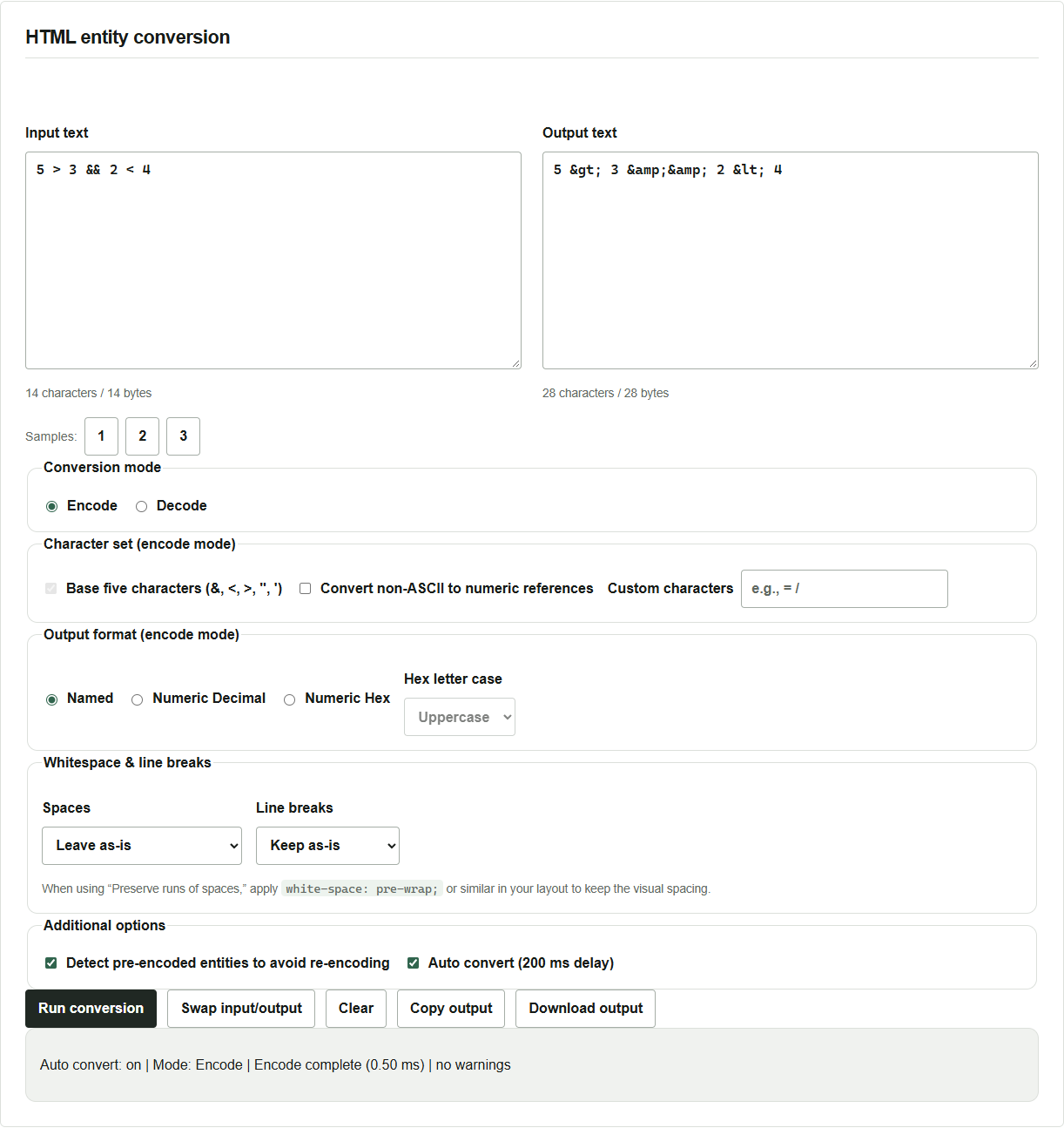
Suppose you want to show 5 > 3 && 2 < 4 in an HTML explanation. HTML also uses < to start a tag. Write < in the source to display that less-than sign as text.
HTML Entity Encoder / Decoder displays the input and result side by side. Conversion runs in your browser and sends no input to a server.
Encode a comparison expression
- Open the tool and enter
5 > 3 && 2 < 4in Input text. Sample 1 inserts the same expression. - Select Encode and leave the output format on the default Named.
- If Auto convert (200 ms delay) is enabled, the result updates after you type. If it is disabled, click Run conversion.
The output is 5 > 3 && 2 < 4. The two & characters become two consecutive & references.
The five basic characters are &, <, >, double quotes and single quotes. You can also encode non-ASCII characters as numeric references or specify more characters. Leave those options as they are for this example.
Decode the result to check the original text
- Click Swap input/output.
- Switch to Decode. Swapping the fields leaves the mode as it was.
- Check that the output is
5 > 3 && 2 < 4again. If automatic conversion is off, click Run conversion again.
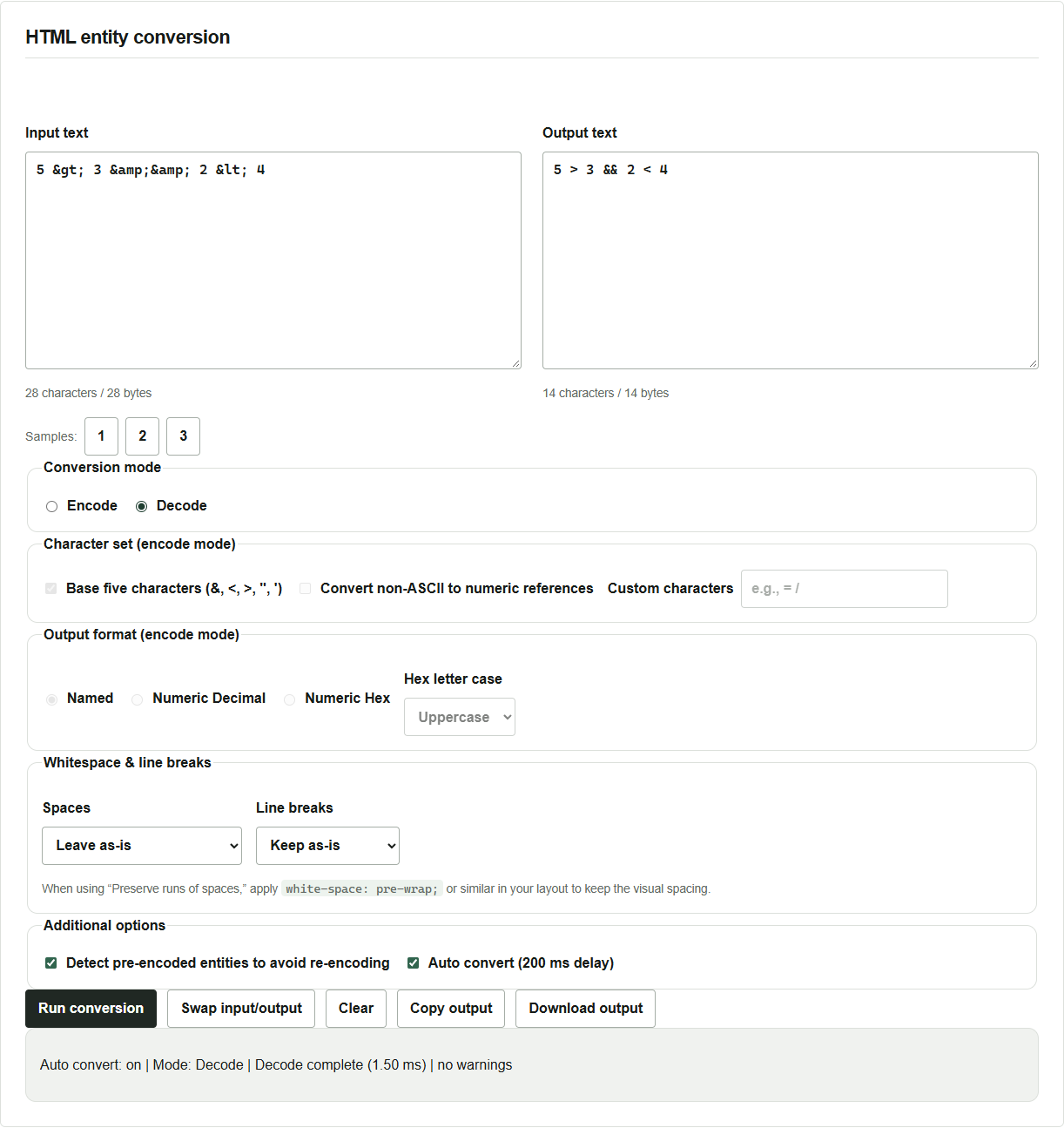
Use Copy output to copy to the clipboard or Download output to save a UTF-8 text file. If browser permissions prevent copying, select the output text and copy it manually.
Check how the destination handles the output
If the input already contains &, decide what the reader should see. To display &, turn on Detect pre-encoded entities to avoid re-encoding to preserve &. To show the spelling & itself, also encode the leading &. The HTML source then contains &amp;.
If your template escapes automatically, manual encoding can convert the same character twice. URLs, JavaScript and JSON have their own rules, so use the escaping appropriate to where the text will go.
The decoder loads the input into a temporary HTML element and extracts its text. Passing a whole document with tags cannot restore the original markup. Try a short string first if you are unsure how the destination displays it.