Check the next weekday morning cron runs in Japan time and UTC
Enter a weekday 08:30 job in Cron Planner and compare its next executions in Japan time and UTC. Learn how to read dates across midnight and which scheduler settings to check.
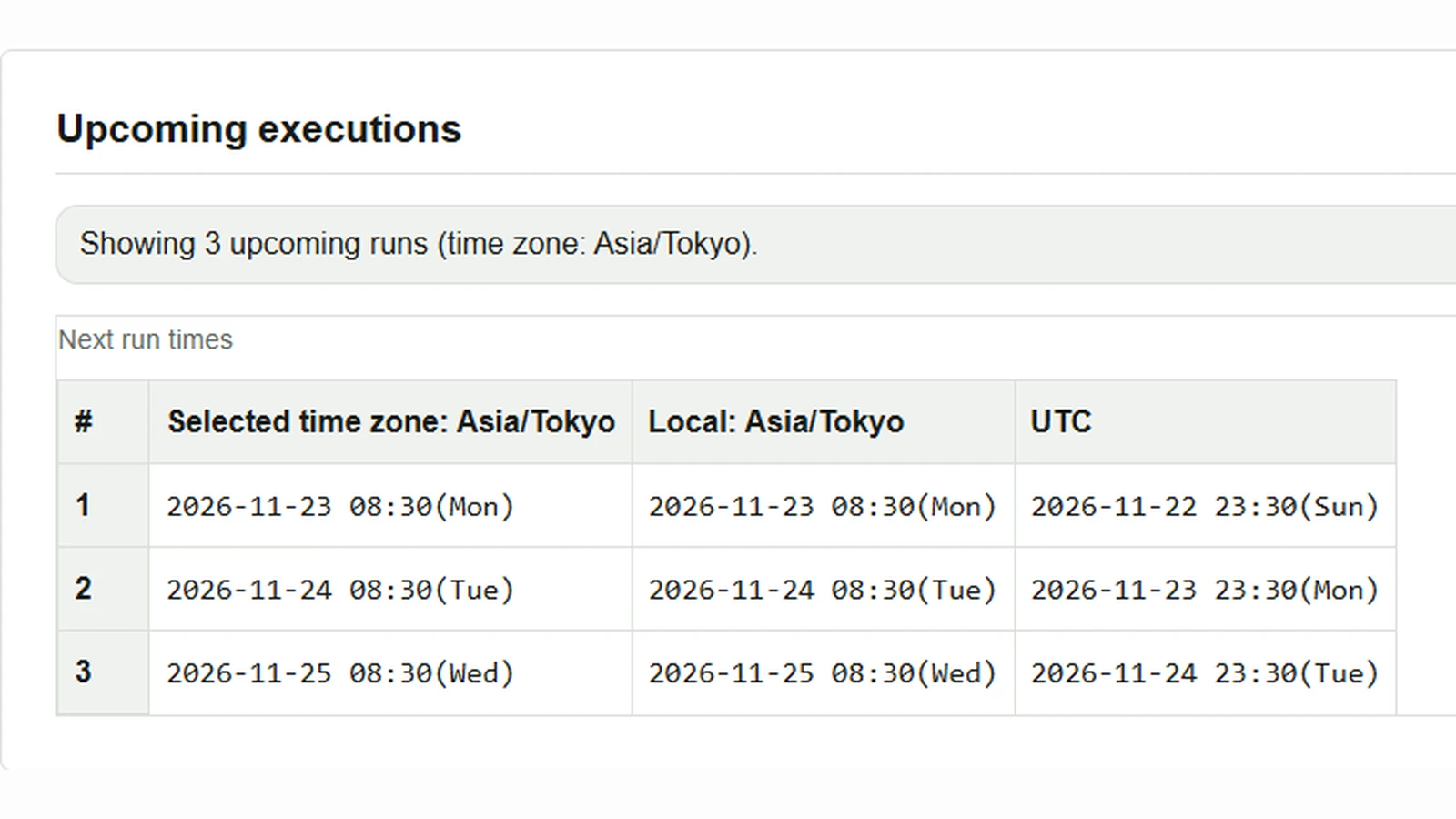
Suppose a daily aggregation job runs at 08:30 from Monday to Friday. Even if its schedule is defined in Japan time, finding its UTC log entries requires looking at the previous date. Enter the expression and time zone in Cron Planner to see upcoming runs in both time zones.
Calculate weekday 08:30 runs in Japan time
- Enter
30 8 * * 1-5in Cron expression. From left to right, the fields are minute, hour, day of month, month, and day of week. Set minute to 30 and hour to 8;*accepts every day of month and month, while1-5specifies Monday through Friday. - Select
Asia/Tokyoin Time zone and enter3in Occurrences. - Press Calculate next runs.
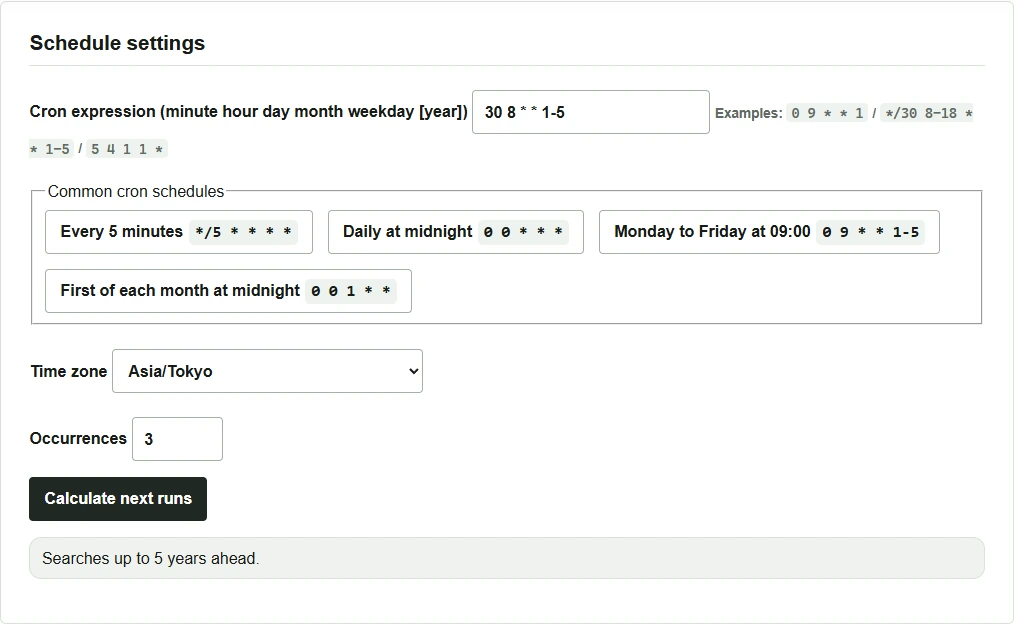
Check the date in the UTC column too
In Upcoming executions, the selected time zone and UTC columns show the same execution at different clock times. Local lists the times in the time zone of the device used to view the page. If the device and job use different settings, also check the time zones shown in the column headings.
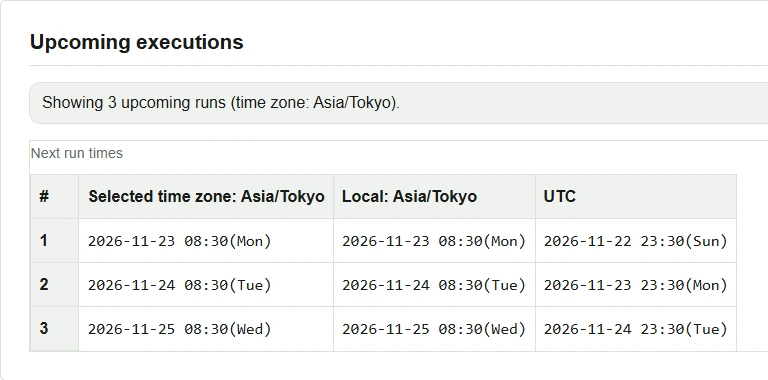
Japan time is nine hours ahead of UTC, so subtracting nine hours from 08:30 gives 23:30 on the previous day. Changing the setting itself to America/New_York reinterprets the expression’s weekdays and 08:30 in New York time. To see the UTC equivalent of a schedule defined in Japan time, keep Asia/Tokyo selected and read the UTC column.
Before registering the job
Check which time zone your actual cron implementation or scheduler uses to interpret expressions. For example, Cronie lets you specify a time zone with CRON_TZ, and the command follows the five scheduling fields. Before using the optional year field accepted by Cron Planner, or Quartz syntax such as ? and L, check your scheduler’s specification. Cron Planner does not support Quartz extensions and searches at most five years ahead. Cronie crontab manual