Compare configuration changes with Text Diff
Compare a configuration file before and after changes in your browser. Fictional settings and screenshots explain input, changed and added lines, and rerunning the comparison while ignoring whitespace.
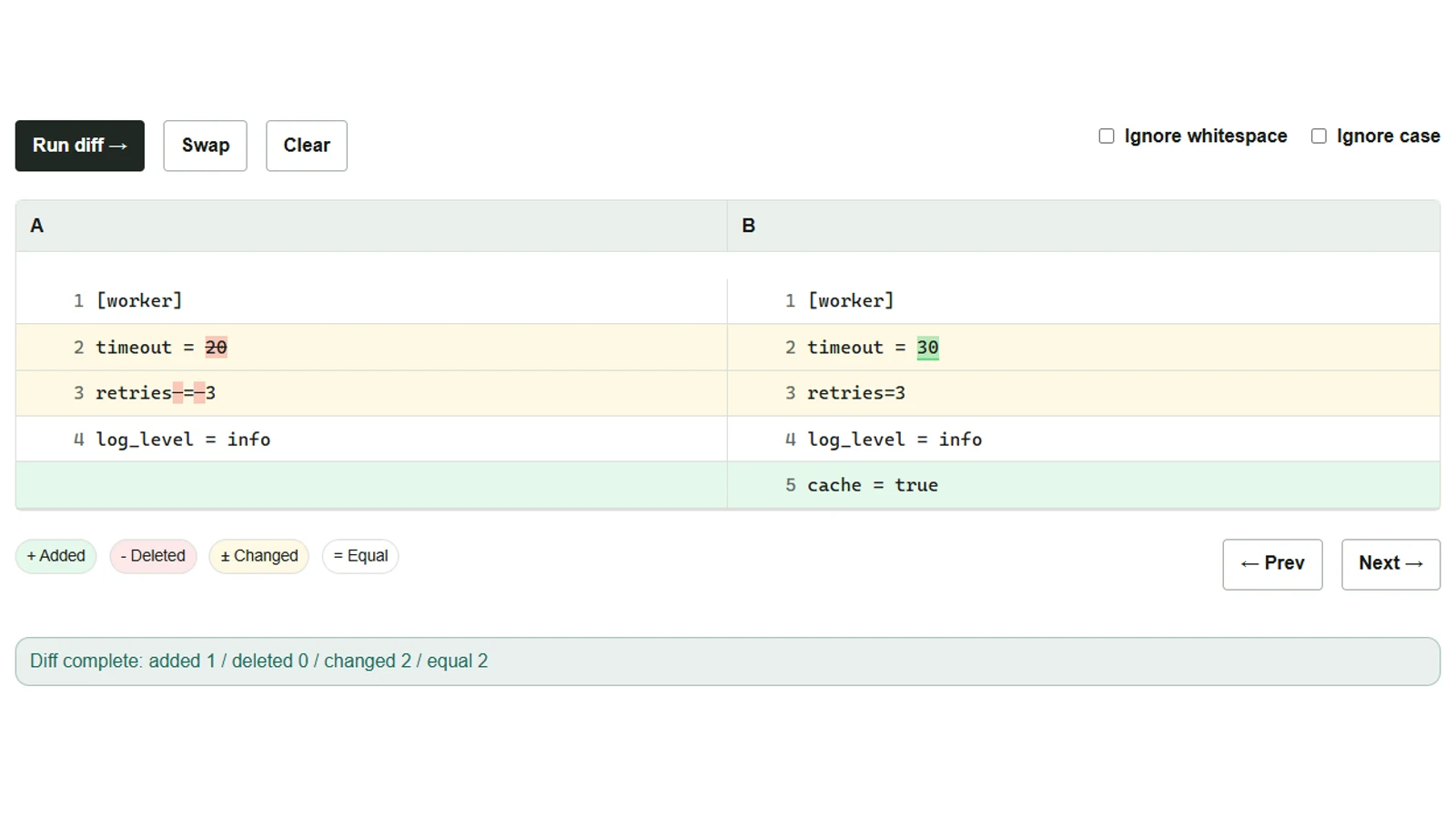
When you receive a configuration file, changes to the spaces around equals signs can make it hard to spot the numeric changes you are looking for. Text Diff (side by side) places two pasted texts next to each other and compares them line by line. Here, fictional settings show what has changed, before excluding differences that consist only of whitespace. The pasted text is processed entirely in the browser.
Paste the old version on the left and the new version on the right
- Open the tool and paste the old version into “Input A” and the new version into “Input B.”
- Leave “Ignore whitespace” and “Ignore case” unchecked, then select “Run diff.”
Before (A)
[worker]
timeout = 20
retries = 3
log_level = info
After (B)
[worker]
timeout = 30
retries=3
log_level = info
cache = true
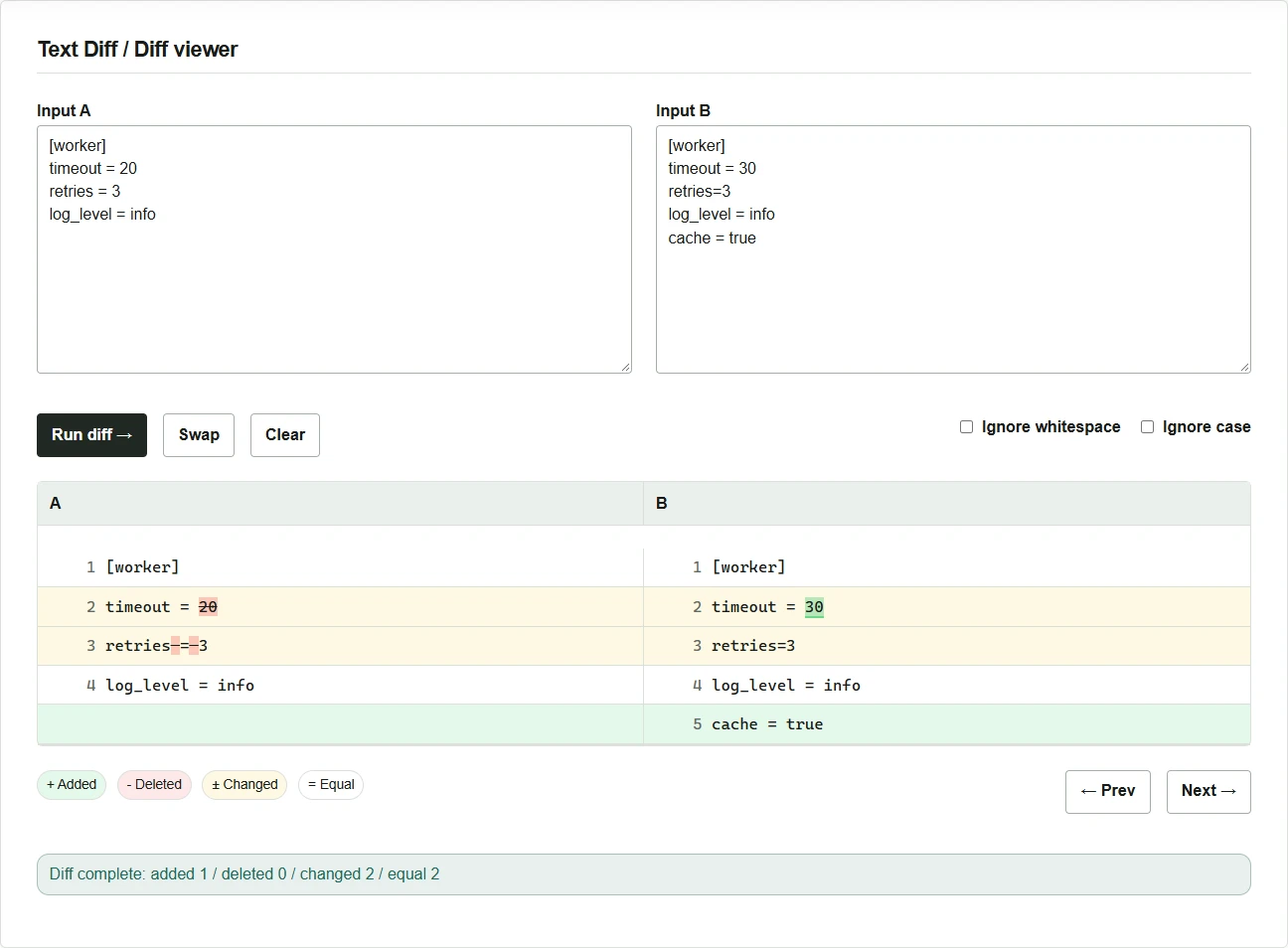
The timeout and retries lines turn yellow, and the newly added cache = true in B turns green. Lines found only in A appear in red. For long results, use “Next” and “Prev” to jump between differences.
Check again without whitespace-only differences
- Turn on “Ignore whitespace.”
- Select “Run diff” again. The
retrieslines are treated as identical, and the changed-line count drops from 2 to 1. Thetimeoutchange and the addedcacheline remain.
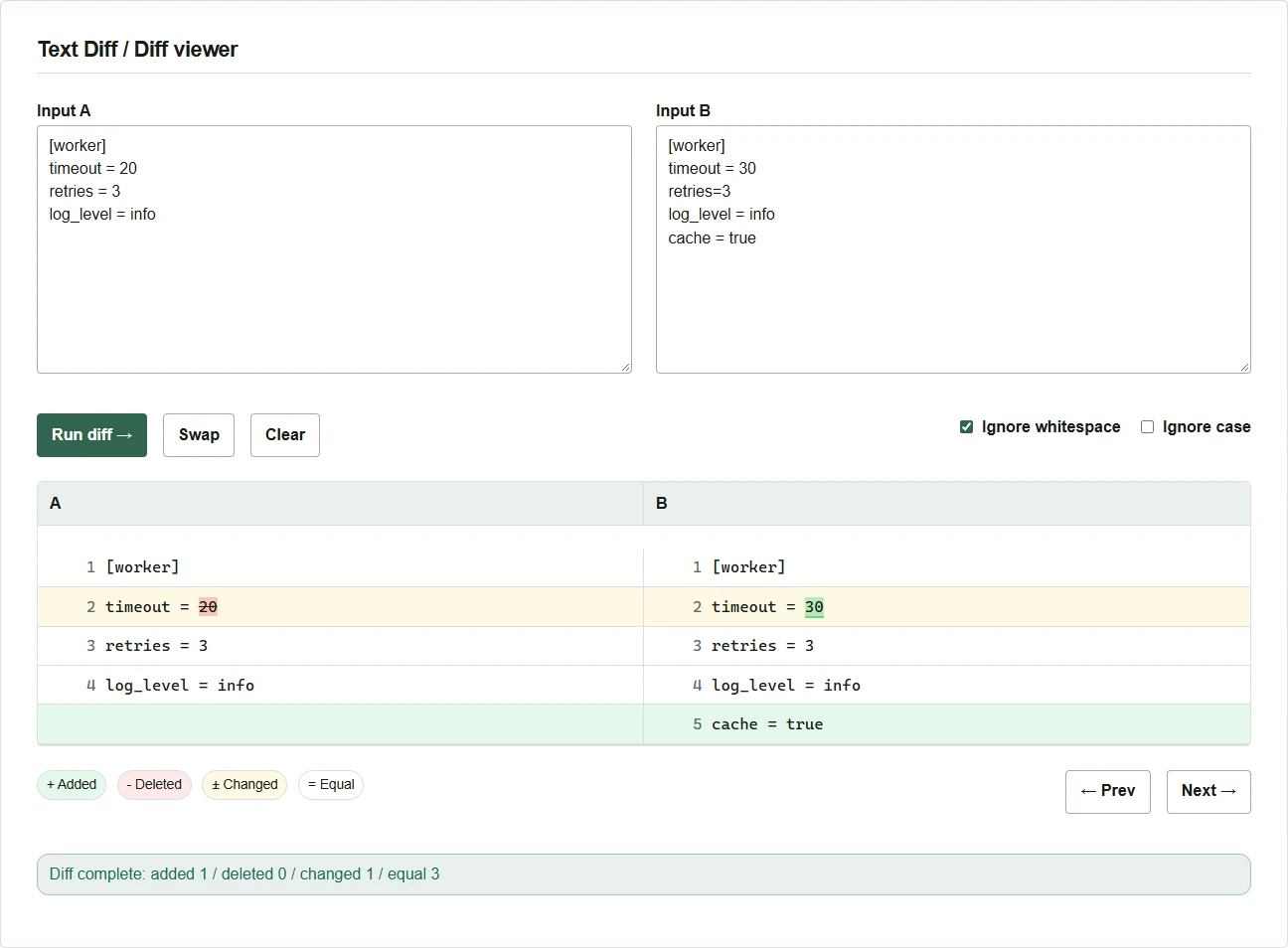
“Ignore whitespace” removes whitespace within each line for comparison, including indentation and whitespace inside quotation marks. If you need to check YAML indentation or spaces in strings, turn it off and run the comparison again. Keep “Ignore case” off as well when differences in the case of keys or values matter. The input fields retain the original pasted texts after comparison, so you can check the original spelling and spacing there even for lines treated as identical in the results.