How many pixels does an A4 flyer need? Calculate from trim size and bleed
Calculate the pixel dimensions for an A4 flyer at 300 ppi with 3 mm of bleed on every edge, then work backwards from a photo’s pixels to its print size.
You want the background colour on an A4 flyer to reach the edge of the paper. If the printer asks for an A4 trim size, 3 mm of bleed on all sides and images at 300 dpi at actual size, extend the background beyond the trim line. This helps prevent white slivers at the edge if the cut shifts slightly.
Use the print size and pixel calculator to calculate the dimensions in pixels with bleed included, or to see how large an existing photo can be printed at a given resolution. The calculations run in your browser and you do not need to open an image file.
Add 3 mm of bleed to each edge of A4
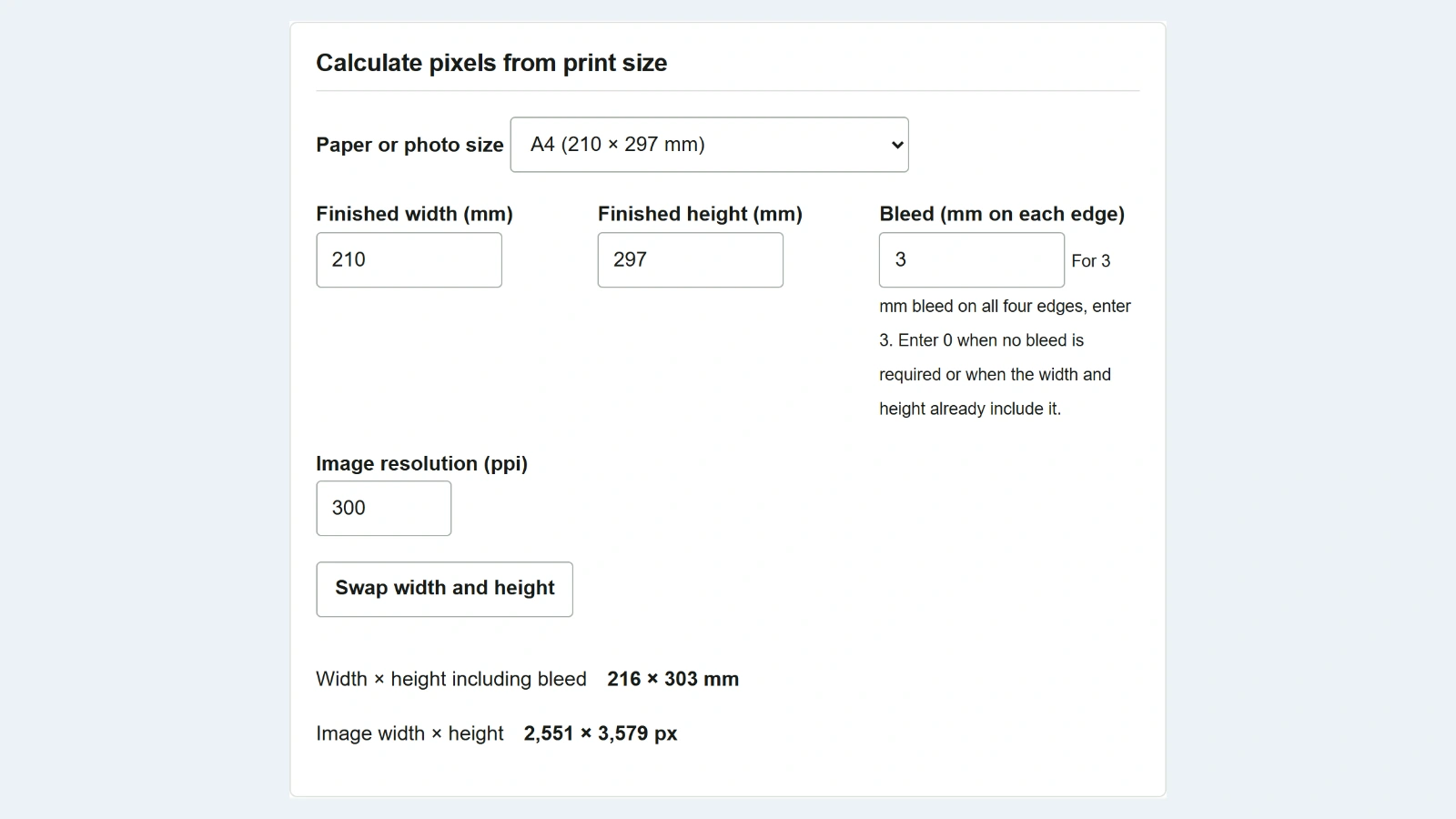
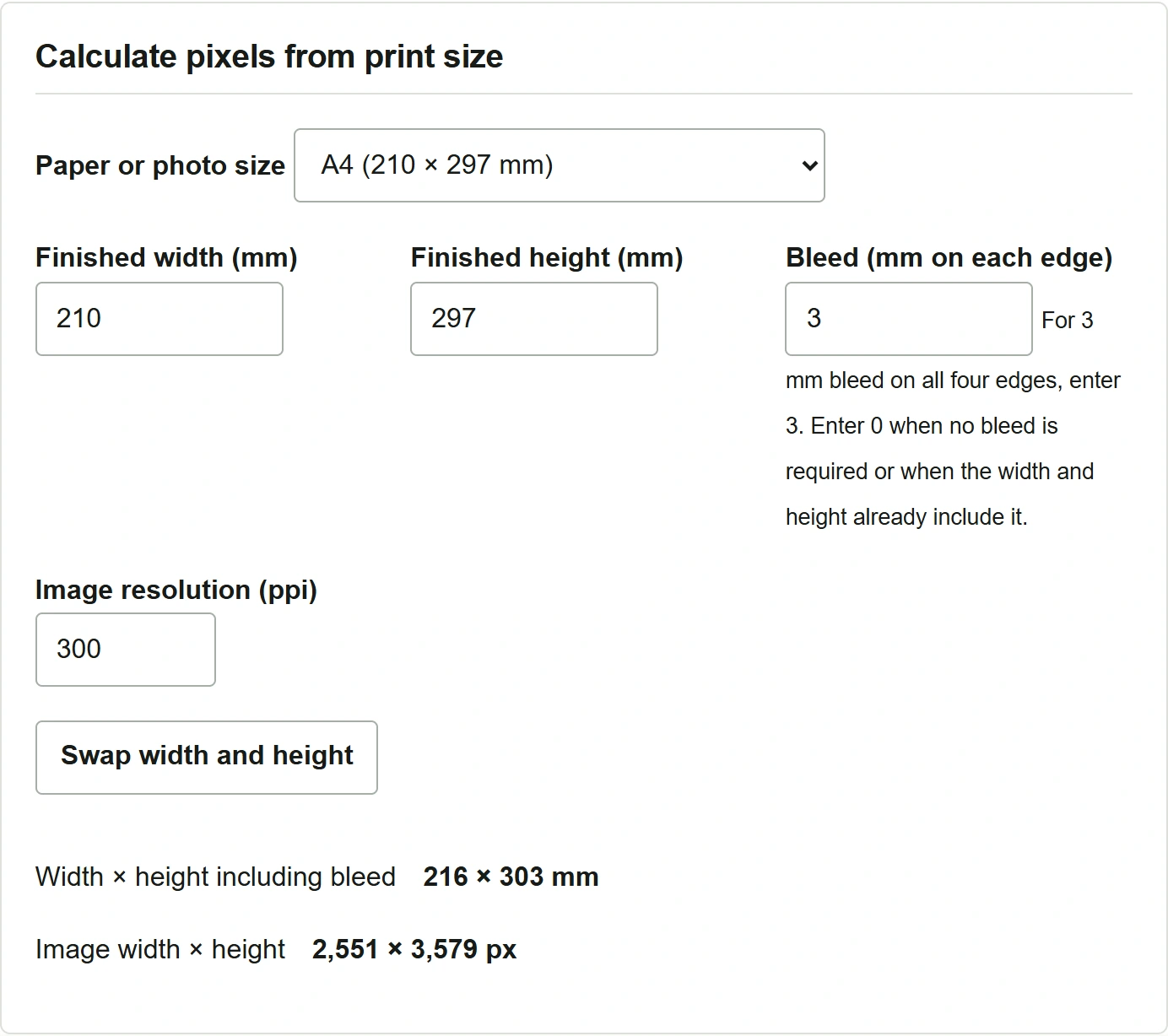
- Under Calculate pixels from print size, choose A4 (210 × 297 mm) in Paper or photo size.
- Enter 3 in Bleed (mm on each edge). This adds 3 mm to the left and right and 3 mm to the top and bottom.
- Set Image resolution (ppi) to 300. The size including bleed is 216 × 303 mm. If one image covers the whole area, aim for 2,551 × 3,579 px.
If the print shop supplies a template, follow its trim and bleed lines. If your design software has separate fields for trim size and bleed, set them to 210 × 297 mm and 3 mm. Putting 216 × 303 mm in the trim size field would count the bleed twice.
Check whether a photo can be placed at 190 mm wide
On the same flyer, a photo inset 10 mm from each side of the trim line will be 190 mm wide. Suppose the landscape photo is 2,400 × 1,500 px. Find out how wide it can be printed at 300 ppi.
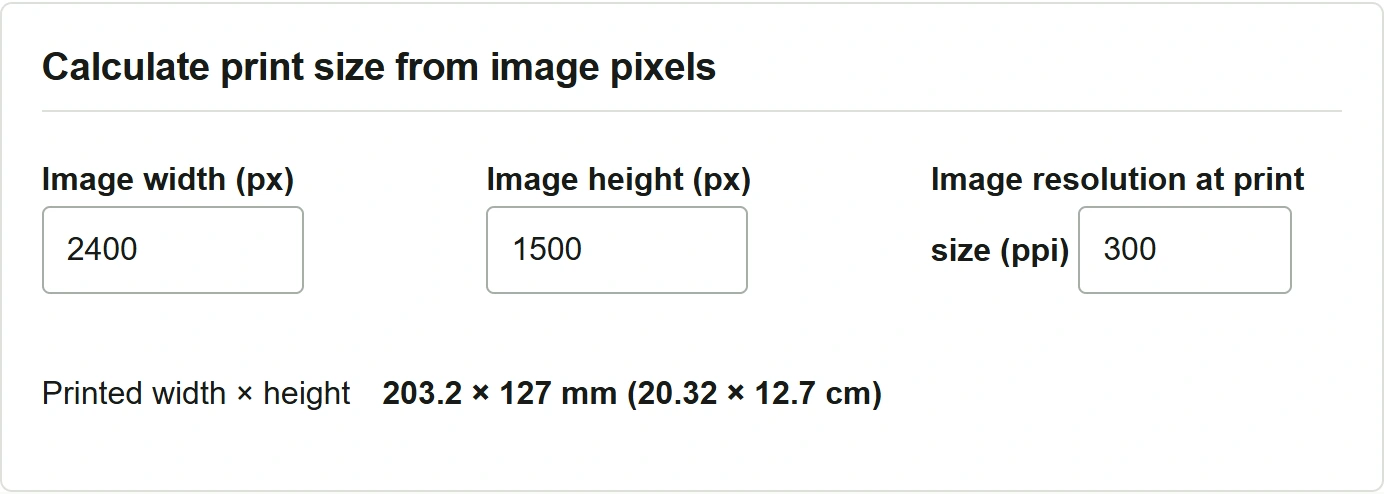
- Under Calculate print size from image pixels, enter 2400 in Image width (px) and 1500 in Image height (px).
- Set Image resolution at print size (ppi) to 300. The result is 203.2 × 127 mm.
- A width of 190 mm is within the 203.2 mm limit, so the whole photo will meet the 300 ppi requirement if you preserve its proportions. The height will be 118.75 mm. Check that it fits the space in your layout.
ppi measures how many image pixels fit in one inch when printed. If the submission instructions use “300 dpi at actual size” to specify the image resolution, enter 300 here. Check the printer’s requirements for image resolution, bleed and safe margins for text, as they depend on the paper and printing process.