Check saddle-stitched booklet imposition | Back cover and blanks in a 14-page document
A 14-page saddle-stitched booklet takes four sheets and leaves two page positions blank. Use screenshots to compare keeping the last page on the back cover with leaving the back cover blank.
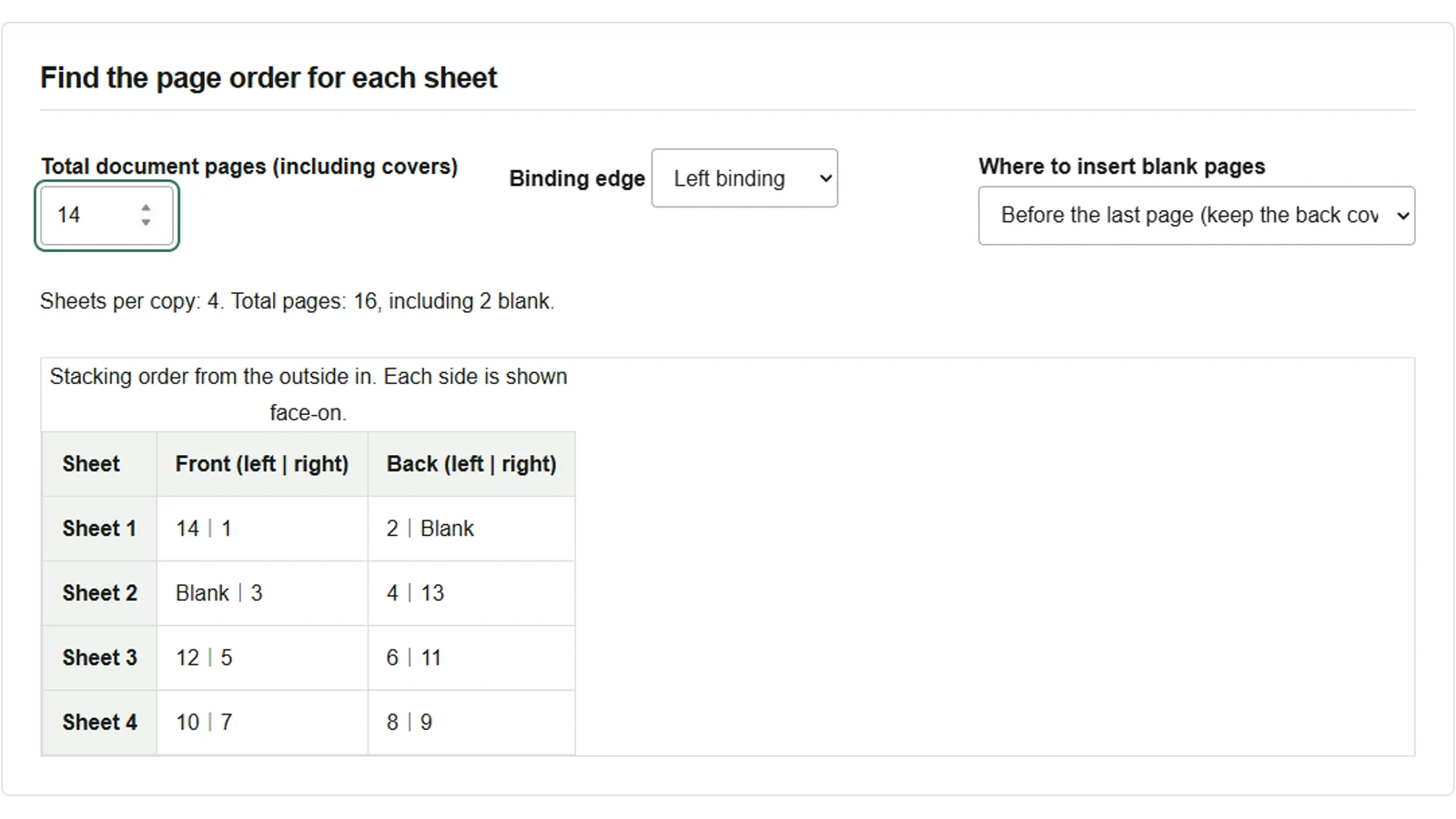
I put together a 14-page exhibition guide and placed the venue map on the last page. Will the map still be on the back cover when the guide is folded? The booklet imposition calculator shows where each page of the document in reading order goes on each sheet.
For saddle stitching, stack sheets with two pages on each side and staple along the fold. Each sheet provides four page positions, so a 14-page document takes four sheets and leaves two positions blank. Where you insert those blanks determines which page ends up on the outside.
Keep the venue map on the back cover
- Enter
14in Total document pages (including covers). Start counting at 1 and include both the front cover and the map page. - Under Binding edge, choose Left binding. The spine will be on the left when you face the front cover.
- Under Where to insert blank pages, select Before the last page (keep the back cover). The result shows four sheets, 16 page positions and two blanks.
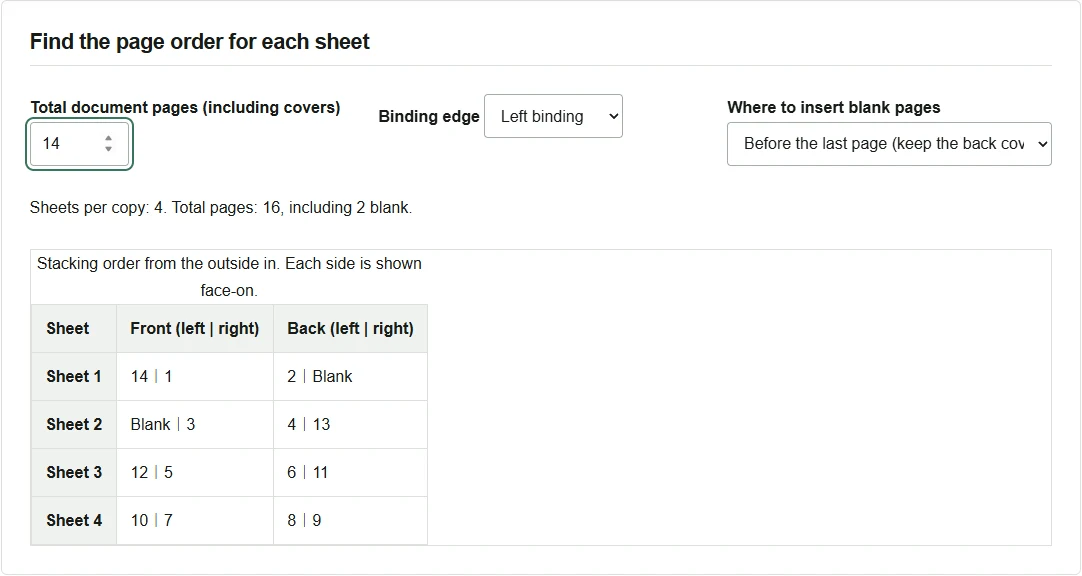
The table starts with the outermost sheet and works inward. On the front of sheet 1, viewed face-on, page 14 is on the left and page 1 is on the right. In the folded booklet, the two blanks follow page 13, leaving the map on page 14 as the back cover.
Compare with a blank back cover
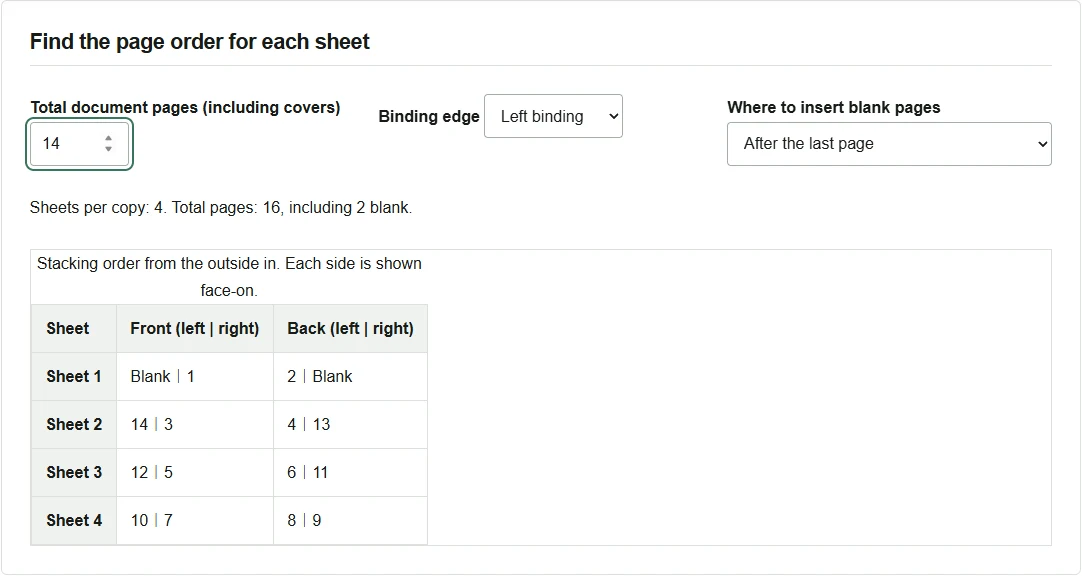
Keep 14 pages and left binding, and change Where to insert blank pages to After the last page. You still need four sheets. The front of sheet 1 now has a blank on the left and page 1 on the right. Page 14 moves to the left of the front of sheet 2. In reading order, the two blanks follow the map.
Fold one copy to check
If you impose the pages by hand, use the table to place each page on the left or right of its sheet. Left and right are shown as you face the corresponding side. For a numbered mock-up, keep the top edge up and flip each sheet side to side before numbering the back. Stack the sheets with sheet 1 outside and sheet 4 inside, fold them, and turn the pages from the front cover to check the map and blanks.
The calculator provides a page placement table. If your print software handles imposition in booklet mode, give it a document in reading order and check the blank positions in the preview. With either method, print one double-sided proof first to check the orientation of the reverse side.